MOTOSHARE 🚗🏍️
Turning Idle Vehicles into Shared Rides & Earnings
From Idle to Income. From Parked to Purpose.
Earn by Sharing, Ride by Renting.
Where Owners Earn, Riders Move.
Owners Earn. Riders Move. Motoshare Connects.
With Motoshare, every parked vehicle finds a purpose.
Owners earn. Renters ride.
🚀 Everyone wins.
Introduction: What is Kanban and Why is it Important in 2025?
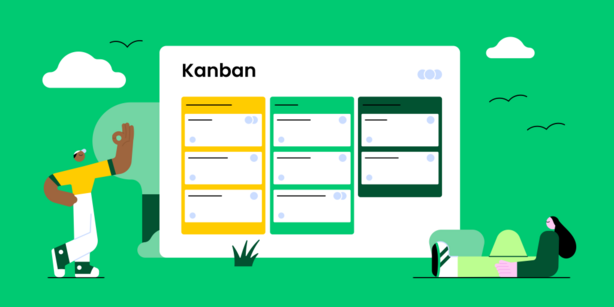
In today’s fast-paced work environments, the need for efficient task management and workflow organization is more critical than ever. This is where Kanban tools come in. Kanban, a Japanese term meaning “visual signal” or “card,” is a popular project management methodology that helps teams visualize their work, maximize efficiency, and improve productivity. By organizing tasks into columns such as “To Do,” “In Progress,” and “Done,” Kanban allows teams to focus on current priorities while maintaining an overview of the entire project lifecycle.
As we head into 2025, Kanban tools are becoming more sophisticated, offering features like real-time collaboration, integration with other software, automation, and enhanced reporting. With remote work and global teams on the rise, Kanban tools have become an indispensable asset for businesses aiming to streamline their processes and boost team productivity.
In this article, we will review the top 10 Kanban tools in 2025, their features, pros, cons, and help you choose the right one for your business.
Top 10 Kanban Tools in 2025
1. Trello
Short Description: Trello is one of the most well-known and easy-to-use Kanban tools for both personal and team project management. It is visually appealing and highly customizable, making it suitable for small businesses, freelancers, and large enterprises alike.
Key Features:
- Drag-and-drop cards for task management
- Customizable boards, lists, and cards
- Power-Ups (integrations) with other tools like Slack, Google Drive, and more
- Advanced checklists and due dates for tasks
- Collaboration features like team discussions and mentions
Pros:
- Intuitive and user-friendly interface
- Excellent for small teams and personal use
- Great integrations and automations with Power-Ups
Cons:
- Limited features in the free version
- Can become cumbersome for large projects due to lack of advanced reporting
2. Asana
Short Description: Asana is a flexible project management tool that provides robust task tracking and workflow automation. It’s used by teams of all sizes to manage projects, from daily tasks to larger initiatives, with Kanban-style boards being a core feature.
Key Features:
- Kanban boards, timelines, and lists
- Advanced search and filtering options
- Customizable fields for better task tracking
- Integration with tools like Slack, Google Drive, and Microsoft Teams
- Automations for repetitive tasks
Pros:
- Highly flexible and customizable
- Scalable for teams of all sizes
- Great collaboration and communication tools
Cons:
- Can be overwhelming for new users
- Reporting tools could be improved
3. Monday.com
Short Description: Monday.com is an all-in-one work operating system that enables teams to run projects and workflows with ease. It supports Kanban boards, Gantt charts, and many other visual tools, making it perfect for diverse team requirements.
Key Features:
- Highly customizable Kanban boards
- Time tracking and workload management
- Automations for task assignments and notifications
- Built-in reporting and dashboards
- Integration with over 40 apps like Jira, Slack, and Google Drive
Pros:
- Very versatile with multiple views (Kanban, Gantt, etc.)
- Great for collaboration across teams
- Powerful integrations and automations
Cons:
- Price can be a barrier for small teams
- Steeper learning curve due to vast customization options
4. ClickUp
Short Description: ClickUp is a highly customizable project management tool that integrates Kanban boards with powerful task management features. It provides everything you need to run your projects, from visual boards to detailed task reporting.
Key Features:
- Customizable Kanban boards and views
- Time tracking and task dependencies
- Collaborative tools like comments, mentions, and file sharing
- Reporting and analytics features
- Over 1,000 integrations with tools like Slack, Dropbox, and Google Drive
Pros:
- Extremely customizable for every workflow
- All-in-one tool with a wide range of features
- Good mobile app for on-the-go project management
Cons:
- Complex interface for beginners
- Overwhelming for small teams with basic needs
5. Kanbanize
Short Description: Kanbanize is a dedicated Kanban software solution that focuses on providing robust workflow visualization, tracking, and automation. It’s particularly suited for larger teams and enterprises looking for advanced features.
Key Features:
- Kanban boards with customizable workflows
- Task automation to reduce manual effort
- Advanced analytics and reporting
- Integration with Jira, Slack, and Zapier
- Workload management and resource allocation
Pros:
- Advanced features for enterprise-level teams
- Comprehensive reporting and analytics tools
- Customizable automation options
Cons:
- Higher learning curve for beginners
- Can be expensive for smaller teams
6. Wrike
Short Description: Wrike is a powerful project management tool that incorporates Kanban boards, Gantt charts, and a host of other features for streamlined project execution. It’s used by businesses of all sizes to manage tasks and team collaboration effectively.
Key Features:
- Kanban boards and Gantt chart views
- Time tracking and document sharing
- Advanced custom workflows
- Custom dashboards and reporting tools
- Integration with Google Drive, Dropbox, and Microsoft Teams
Pros:
- Great for both small and large teams
- Highly customizable workflows and reports
- Excellent collaboration tools
Cons:
- Can be complex for new users
- Pricing can be a bit high for smaller teams
7. TeamGantt
Short Description: TeamGantt is a project management tool that blends Gantt charts with Kanban boards to create a visually compelling way to manage projects. It’s ideal for teams looking for simplicity with a little more structure.
Key Features:
- Drag-and-drop task management with Kanban boards
- Gantt chart view for timeline-based planning
- Resource management tools for team allocation
- Collaboration tools including comments and task mentions
- Integration with Google Drive, Slack, and other tools
Pros:
- Easy-to-use interface
- Simple yet effective for visualizing tasks
- Great for teams that need Gantt and Kanban in one place
Cons:
- Limited reporting features
- Doesn’t have as many advanced integrations as other tools
8. Smartsheet
Short Description: Smartsheet is a platform for work management and automation that integrates Kanban boards with task management, automation, and detailed reporting features. It is suited for larger teams and enterprises that need both flexibility and control.
Key Features:
- Kanban boards, Gantt charts, and calendar views
- Task automation and approval workflows
- Reporting, dashboards, and analytics
- Integration with Slack, Jira, and Google Workspace
- Resource management and team collaboration
Pros:
- Powerful reporting and analytics tools
- Great for large teams and enterprises
- Wide range of integrations
Cons:
- Not as intuitive for new users
- Higher price point compared to other tools
9. LeanKit
Short Description: LeanKit is a Kanban tool designed for managing complex workflows and large-scale projects. It’s ideal for teams looking for detailed workflow management and advanced reporting.
Key Features:
- Visual Kanban boards with customizable workflows
- Advanced reporting and tracking features
- Integrates with Jira, GitHub, and other tools
- Collaboration and task assignment tools
- Workflow automation to streamline repetitive tasks
Pros:
- Excellent for complex workflows and large teams
- Highly customizable
- Great for agile project management
Cons:
- Not as user-friendly for beginners
- Can be overwhelming for small teams with basic needs
10. Airtable
Short Description: Airtable is a versatile platform that combines the flexibility of a spreadsheet with the power of a database, along with Kanban-style task boards for easy project management.
Key Features:
- Kanban boards, grids, and calendar views
- Customizable templates and workflows
- Collaboration tools like comments and mentions
- Extensive integration options with Google Drive, Slack, and more
- Strong database functionality for managing large datasets
Pros:
- Intuitive interface with multiple views
- Excellent for managing large amounts of data
- Flexible and customizable templates
Cons:
- Limited Kanban functionality compared to dedicated tools
- Pricing can be high for small teams
Comparison Table: Top 10 Kanban Tools in 2025
| Tool Name | Best For | Platform(s) Supported | Standout Feature | Pricing | Rating (G2/Capterra/Trustpilot) |
|---|---|---|---|---|---|
| Trello | Small teams & personal use | Web, iOS, Android | Ease of use and customization | Free / Starts at $5 | 4.5/5 |
| Asana | Growing teams | Web, iOS, Android | Task dependencies and custom fields | Free / Starts at $10 | 4.7/5 |
| Monday.com | Large teams & enterprises | Web, iOS, Android | Multiple views (Kanban, Gantt, etc.) | Starts at $10 | 4.6/5 |
| ClickUp | Customizable workflows | Web, iOS, Android | All-in-one project management | Free / Starts at $5 | 4.7/5 |
| Kanbanize | Enterprise teams | Web | Workflow automation and reporting | Starts at $5 | 4.6/5 |
| Wrike | Medium to large teams | Web, iOS, Android | Multiple view options | Starts at $9.80 | 4.5/5 |
| TeamGantt | Small to mid-sized teams | Web | Simple interface with Gantt and Kanban | Starts at $24.95 | 4.4/5 |
| Smartsheet | Large enterprises | Web, iOS, Android | Reporting and analytics | Starts at $7 | 4.4/5 |
| LeanKit | Agile teams & enterprises | Web | Detailed workflow management | Custom pricing | 4.2/5 |
| Airtable | Teams managing large datasets | Web, iOS, Android | Flexible database integration | Free / Starts at $10 | 4.6/5 |
Which Kanban Tool is Right for You?
Choosing the right Kanban tool depends on several factors such as the size of your team, your budget, and the features you need. Here’s a quick guide to help you decide:
- Small Teams & Freelancers: Trello, ClickUp, Airtable
- Medium Teams & Growing Companies: Asana, Monday.com, Wrike
- Large Enterprises & Complex Projects: Kanbanize, LeanKit, Smartsheet
Conclusion
Kanban tools are essential for organizing tasks, improving team collaboration, and enhancing project visibility. In 2025, these tools have evolved with advanced automation, reporting, and integrations to meet the needs of businesses of all sizes. Whether you are a freelancer managing a small project or part of a large team handling complex workflows, the right Kanban tool can help you streamline your processes and achieve better results.
Consider exploring demos or free trials of the tools above to find the best fit for your business needs.
FAQs
Q1: What is Kanban software used for?
Kanban software is used to visualize workflows, organize tasks, and increase productivity by allowing teams to track work in progress and optimize processes.
Q2: Can I use Kanban tools for personal task management?
Yes, many Kanban tools like Trello are perfect for personal use and small projects. They help you organize tasks and stay on track.
Q3: Which Kanban tool is best for large teams?
For large teams, tools like Monday.com, Asana, and Kanbanize offer powerful features like workflow automation, reporting, and advanced task management.
Q4: Are Kanban tools suitable for Agile teams?
Yes, Kanban is widely used in Agile methodologies for managing project tasks in an iterative and flexible manner.
Q5: How much do Kanban tools cost?
Pricing varies depending on the tool and the features required. Many tools offer free versions, with premium features starting at around $5 to $10 per user per month.