MOTOSHARE 🚗🏍️
Turning Idle Vehicles into Shared Rides & Earnings
From Idle to Income. From Parked to Purpose.
Earn by Sharing, Ride by Renting.
Where Owners Earn, Riders Move.
Owners Earn. Riders Move. Motoshare Connects.
With Motoshare, every parked vehicle finds a purpose.
Owners earn. Renters ride.
🚀 Everyone wins.
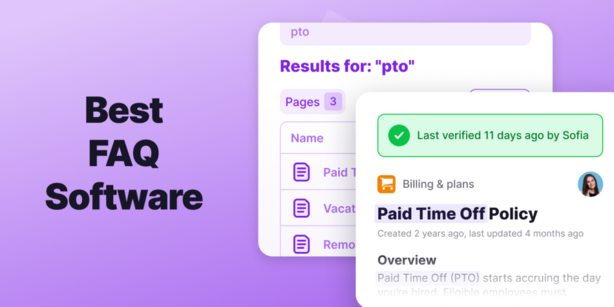
Introduction: Why FAQ Software Tools Matter in 2025
As businesses grow, managing customer inquiries and support requests becomes more complex. One of the most efficient ways to address customer queries is by implementing a comprehensive FAQ (Frequently Asked Questions) system. In 2025, FAQ software tools are not only an essential part of improving user experience but also play a crucial role in automating customer support and enhancing efficiency.
An effective FAQ tool helps businesses categorize and display answers to common questions, offering customers quick, self-service solutions without having to wait for a support team. The increasing demand for instant gratification means that businesses need to choose the right FAQ software that fits their specific needs.
With numerous FAQ tools available in the market, it can be overwhelming to decide which one is right for your business. This guide will explore the top 10 FAQ software tools for 2025, offering a detailed comparison of their features, pros, cons, and pricing. Whether you’re a startup, a small business, or an enterprise, this post will help you navigate the best FAQ solutions for your organization.
Top 10 FAQ Software Tools in 2025
1. Zendesk
Short Description:
Zendesk is a leading customer support platform that provides a powerful FAQ tool as part of its suite. It offers both knowledge base creation and customer support ticketing.
Key Features:
- Customizable knowledge base with easy-to-use editor
- Multi-language support
- Integrated ticketing system for unresolved queries
- AI-driven suggestions for self-service options
- Analytics and reporting for performance tracking
Pros:
- Seamless integration with other customer service channels
- Scalable for businesses of all sizes
- Robust reporting and analytics
Cons:
- Pricing can be steep for small businesses
- Initial setup can be complex for beginners
2. Freshdesk
Short Description:
Freshdesk provides an intuitive knowledge base tool that lets businesses manage and publish FAQ articles. It integrates with its helpdesk solution to streamline support.
Key Features:
- Simple drag-and-drop knowledge base editor
- Multi-channel support integration (email, chat, social)
- Automated workflows for recurring questions
- Customizable branding options
- Ticket management system integrated
Pros:
- Affordable for small businesses
- User-friendly interface
- Strong automation features
Cons:
- Limited customization options in lower-tier plans
- Some advanced features are locked behind premium tiers
3. Tidio
Short Description:
Tidio combines live chat and chatbot capabilities with a dynamic FAQ section. It’s perfect for small businesses looking to automate both real-time chat and frequently asked queries.
Key Features:
- AI-powered chatbot for instant customer support
- Predefined FAQ templates
- Real-time chat integration
- Multi-platform support (website, mobile app)
- Auto-response triggers based on customer behavior
Pros:
- Easy setup with no technical expertise required
- Great value for money
- Robust live chat and chatbot features
Cons:
- Limited advanced analytics
- FAQ automation may need additional setup for complex queries
4. HelpjuiceShort Description:
Helpjuice is a specialized knowledge base software that helps businesses create and manage comprehensive FAQ sections with ease.
Key Features:
- Fully customizable knowledge base design
- Powerful search functionality with advanced filters
- Collaborative authoring for team contributions
- Detailed analytics to improve FAQ performance
- Multi-language support
Pros:
- Excellent search and filtering capabilities
- Easy collaboration for teams
- Clean and modern interface
Cons:
- Somewhat limited integrations with third-party tools
- Can be expensive for small teams
5. KnowledgeOwl
Short Description:
KnowledgeOwl is a versatile knowledge management software, offering robust FAQ software along with extensive customization options and advanced reporting.
Key Features:
- Intuitive knowledge base editor
- Custom themes and branding options
- Multi-language support
- Powerful content management tools
- Reporting tools for tracking FAQ effectiveness
Pros:
- Highly customizable to match branding
- Great support for content-heavy businesses
- Excellent analytics and performance tracking
Cons:
- Steeper learning curve for beginners
- Pricing can be prohibitive for small businesses
6. Intercom
Short Description:
Intercom is a customer messaging platform that offers an integrated knowledge base for creating FAQs, along with live chat and support tools.
Key Features:
- AI-powered knowledge base suggestions
- Integrated helpdesk ticketing system
- Real-time messaging support
- Multi-channel integration (web, mobile)
- Analytics and reporting for tracking customer behavior
Pros:
- Powerful AI-driven support features
- Seamless integration with other messaging tools
- Scalable for growing businesses
Cons:
- Can be expensive for small teams
- Overwhelming feature set for basic needs
7. ProProfs Knowledge Base
Short Description:
ProProfs is an easy-to-use knowledge management tool with a strong FAQ feature. It is ideal for businesses seeking to create a self-service portal for customers.
Key Features:
- Ready-made FAQ templates
- Knowledge base analytics
- Integration with chatbots for automatic FAQ suggestions
- Simple, drag-and-drop interface
- Multiple user access for team collaboration
Pros:
- Very user-friendly with quick setup
- Affordable pricing for small teams
- Strong knowledge base analytics
Cons:
- Limited integrations with third-party tools
- Some advanced features are locked behind premium plans
8. Zoho Desk
Short Description:
Zoho Desk is a customer service software that offers an FAQ tool as part of its helpdesk solution. It’s designed for businesses looking to integrate customer support and knowledge management.
Key Features:
- Multi-department knowledge base management
- AI-powered search and smart FAQ suggestions
- Integrated ticketing system
- Real-time analytics and reporting
- Customizable FAQ themes
Pros:
- Strong integration with Zoho ecosystem
- Great automation features
- Affordable pricing plans
Cons:
- Limited customization for lower-tier plans
- Support for non-Zoho tools can be a bit limited
9. KMS Lighthouse
Short Description:
KMS Lighthouse is an enterprise-grade knowledge management solution that supports robust FAQ management. It focuses on empowering teams with the right information at the right time.
Key Features:
- AI-powered search engine
- Customizable FAQ interface
- Seamless integration with CRMs
- Reporting and analytics for performance tracking
- Multi-language support
Pros:
- Designed for large enterprises
- Excellent search functionality
- Advanced analytics and reporting features
Cons:
- Overkill for small businesses
- Expensive pricing plans
10. Slab
Short Description:
Slab is a modern knowledge management platform offering FAQ features for teams. It’s known for its clean design and collaborative features.
Key Features:
- User-friendly editor for knowledge base content
- Team collaboration tools
- Powerful search functionality
- Integrated with Google Workspace and Slack
- Easy content sharing and publishing
Pros:
- Clean, modern interface
- Excellent for internal knowledge sharing
- Strong integrations with other tools
Cons:
- Limited customization options for the FAQ design
- Not specifically tailored for customer-facing FAQs
Comparison Table: FAQ Software Tools in 2025
| Tool Name | Best For | Platform(s) | Standout Feature | Pricing | G2/Capterra/Trustpilot Rating |
|---|---|---|---|---|---|
| Zendesk | Large Enterprises | Web, iOS, Android | Multi-channel integration | Starts at $5/month | 4.5/5 |
| Freshdesk | Small to Medium Biz | Web, iOS, Android | Simple drag-and-drop knowledge base | Starts at $15/month | 4.4/5 |
| Tidio | Small Businesses | Web, iOS, Android | AI-powered chatbots | Starts at $18/month | 4.6/5 |
| Helpjuice | Content-Rich Biz | Web | Advanced search functionality | Starts at $120/month | 4.7/5 |
| KnowledgeOwl | Medium to Large Biz | Web | Custom branding and reporting | Starts at $25/month | 4.3/5 |
| Intercom | Growing Businesses | Web, iOS, Android | Integrated messaging and FAQ suggestions | Starts at $39/month | 4.6/5 |
| ProProfs | Small Teams | Web | Quick FAQ setup with templates | Starts at $10/month | 4.2/5 |
| Zoho Desk | SMBs and Enterprises | Web, iOS, Android | Seamless Zoho integration | Starts at $12/month | 4.4/5 |
| KMS Lighthouse | Enterprises | Web | AI-powered search and CRM integrations | Custom Pricing | 4.5/5 |
| Slab | Internal Teams | Web | Clean design and easy content sharing | Starts at $8/user/month | 4.3/5 |
Which FAQ Software Tool is Right for You?
Choosing the best FAQ software tool depends on factors like your company size, budget, feature needs, and the platforms you’re using. Here’s a guide to help you choose the right tool:
- For Small Businesses: Tidio, ProProfs, and Freshdesk are great for their simplicity, affordability, and easy setup.
- For Medium Businesses: Zoho Desk and KnowledgeOwl provide scalability with advanced reporting and integration options.
- For Large Enterprises: Zendesk, Intercom, and KMS Lighthouse offer robust features like multi-channel support and AI-powered knowledge bases.
Conclusion
FAQ software tools are crucial for delivering fast, efficient customer service. In 2025, the landscape of FAQ tools is more diverse, offering AI-powered features, multi-platform support, and in-depth analytics. These tools are no longer just a luxury but a necessity for businesses looking to provide top-notch customer support.
With so many options available, it’s important to evaluate the unique needs of your business before selecting an FAQ tool. Whether you’re looking for affordability, advanced features, or scalability, there is an FAQ solution for you.
Try out free trials or demos to see which FAQ software tool works best for your business.
FAQs
Q1: What is FAQ software?
FAQ software allows businesses to create and manage knowledge bases or FAQ sections on their websites. It helps customers find answers to common questions, reducing the need for direct customer support.
Q2: How do I choose the best FAQ software?
Consider factors like ease of use, pricing, features, integrations, and scalability when choosing FAQ software. Make sure it aligns with your business size and goals.
Q3: Can FAQ software help reduce customer support costs?
Yes, by providing self-service options for customers, FAQ software can reduce the number of support tickets, saving both time and money.
Q4: Is FAQ software suitable for all businesses?
Yes, whether you’re a small business or a large enterprise, FAQ software can improve customer service efficiency and provide a better user experience.
Q5: How much does FAQ software cost?
Pricing varies, with options ranging from free plans to custom pricing based on the features you need. Most tools offer tiered pricing to cater to different business sizes.