MOTOSHARE 🚗🏍️
Turning Idle Vehicles into Shared Rides & Earnings
From Idle to Income. From Parked to Purpose.
Earn by Sharing, Ride by Renting.
Where Owners Earn, Riders Move.
Owners Earn. Riders Move. Motoshare Connects.
With Motoshare, every parked vehicle finds a purpose.
Owners earn. Renters ride.
🚀 Everyone wins.
Introduction
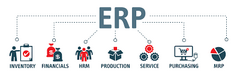
Enterprise Resource Planning (ERP) tools are vital for streamlining and managing business processes across different departments such as finance, human resources, supply chain, and manufacturing. These tools integrate various business functions into one unified system, improving operational efficiency, accuracy, and decision-making. As businesses scale and grow in complexity, ERP systems have become essential for maintaining order, increasing productivity, and supporting strategic decision-making.
In 2025, the ERP landscape continues to evolve with advancements in cloud computing, artificial intelligence (AI), and machine learning. These developments promise better user experiences, faster implementations, and more seamless integrations with other business systems. When selecting an ERP system, businesses must consider factors like industry needs, scalability, ease of use, pricing, and the range of features offered.
In this guide, we’ll dive into the top 10 ERP tools for 2025, comparing their features, pros, cons, and helping you decide which tool is the best fit for your business.
Top 10 Enterprise Resource Planning (ERP) Tools in 2025
1. SAP S/4HANA
Short Description: SAP S/4HANA is a robust ERP solution that integrates core business processes with advanced AI capabilities and real-time data analytics. Designed for large enterprises, it supports finance, HR, procurement, manufacturing, and more.
Key Features:
- Real-time data processing for faster decision-making
- Integration with IoT and AI for smarter operations
- Scalable for large businesses
- Cloud and on-premise deployment options
- Advanced reporting and analytics
- Mobile and cross-platform access
Pros:
- Comprehensive functionality for all business areas
- Highly customizable to meet specific business needs
- Trusted by large organizations globally
Cons:
- Complex implementation process
- High cost of deployment and maintenance
- Requires a strong IT team to manage and optimize
2. Oracle ERP Cloud
Short Description: Oracle ERP Cloud provides an integrated suite of applications to help businesses manage finances, projects, procurement, and more. Its cloud-first approach enables flexibility and scalability for organizations of all sizes.
Key Features:
- Cloud-native platform with flexible deployment
- Comprehensive financial management capabilities
- Advanced analytics and reporting tools
- Integration with AI, blockchain, and IoT
- Automated workflows and compliance management
- User-friendly interface
Pros:
- Cloud-based with regular updates
- Strong focus on financial management and compliance
- Highly scalable for businesses of all sizes
Cons:
- Can be costly for smaller businesses
- Steep learning curve for new users
- Limited customization compared to on-premise solutions
3. Microsoft Dynamics 365
Short Description: Microsoft Dynamics 365 is an integrated ERP and CRM solution designed for businesses looking to unify their operations. It integrates sales, customer service, supply chain, and financial management into one platform.
Key Features:
- Integrated ERP and CRM in one solution
- AI-driven insights for better decision-making
- Scalable for both small businesses and enterprises
- Flexible deployment options (cloud, on-premise, hybrid)
- Deep integration with Microsoft 365 products
Pros:
- Seamless integration with Microsoft products
- User-friendly interface
- Strong analytics and AI capabilities
Cons:
- Can be expensive for smaller businesses
- Some advanced features require additional modules
- May require customization for specific industries
4. NetSuite ERP
Short Description: NetSuite ERP is a cloud-based solution ideal for growing businesses. It offers modules for financial management, CRM, supply chain, and e-commerce, making it a great choice for small to mid-sized companies.
Key Features:
- End-to-end business management suite
- Real-time visibility into financial and operational data
- Strong e-commerce and order management features
- Cloud-based with automatic updates
- Scalability to support business growth
Pros:
- User-friendly interface and quick implementation
- Strong financial and supply chain management
- Flexible pricing for small to medium-sized businesses
Cons:
- Can be difficult to integrate with legacy systems
- Limited customization options
- Reporting capabilities may require additional modules
5. Infor CloudSuite
Short Description: Infor CloudSuite is a cloud-based ERP solution designed for industries like manufacturing, healthcare, retail, and distribution. It provides robust tools for supply chain management, HR, and finance.
Key Features:
- Industry-specific ERP solutions
- Advanced analytics and reporting capabilities
- Cloud-based with mobile access
- AI-driven insights for predictive analytics
- Integration with IoT and machine learning
Pros:
- Tailored solutions for specific industries
- Scalable for both small and large enterprises
- Strong cloud-based deployment
Cons:
- May be difficult to implement without external consultants
- Customization can be limited for some industries
- Pricing may be higher than some competitors
6. Acumatica
Short Description: Acumatica is a flexible, cloud-based ERP solution ideal for small and medium-sized businesses. It provides financial management, CRM, distribution, and manufacturing tools all in one platform.
Key Features:
- Flexible deployment options (cloud and on-premise)
- Real-time data visibility and business intelligence
- User-friendly interface and intuitive design
- Integration with third-party applications
- Strong financial and CRM modules
Pros:
- Highly customizable for a cloud ERP solution
- Affordable pricing for SMBs
- Excellent customer support
Cons:
- Limited advanced features compared to larger competitors
- Requires third-party integrations for some functionality
- May not be ideal for very large enterprises
7. Sage Intacct
Short Description: Sage Intacct is a cloud-based ERP solution with a focus on financial management. It offers robust accounting features, automation tools, and financial reporting for growing businesses.
Key Features:
- Advanced accounting and financial reporting
- Real-time financial visibility and insights
- Integration with other business systems
- Cloud-based with automatic updates
- Multi-currency and multi-entity support
Pros:
- Strong financial and accounting capabilities
- Great for companies with complex accounting needs
- Affordable for SMBs
Cons:
- Limited functionality for non-financial processes
- Not as customizable as other ERP systems
- May require additional third-party tools for full functionality
8. Epicor ERP
Short Description: Epicor ERP is a robust solution aimed at manufacturing and distribution industries. It offers tools for production management, inventory control, financial management, and supply chain optimization.
Key Features:
- Industry-specific solutions for manufacturing and distribution
- Real-time analytics and reporting
- Cloud, on-premise, and hybrid deployment options
- Integration with supply chain and manufacturing systems
- Mobile app for on-the-go access
Pros:
- Excellent for manufacturing and supply chain industries
- Strong reporting and analytics features
- Highly customizable for industry needs
Cons:
- Complex to implement and configure
- High upfront cost for smaller businesses
- Requires dedicated IT staff for maintenance
9. Syspro ERP
Short Description: Syspro ERP offers a comprehensive platform for managing financials, manufacturing, and inventory. It is suitable for small to mid-sized manufacturers looking for a customizable solution.
Key Features:
- Customizable for various industries
- Strong manufacturing and inventory management tools
- Cloud and on-premise options
- Real-time business analytics and reporting
- Support for multiple languages and currencies
Pros:
- Great for manufacturers and distributors
- User-friendly interface and ease of use
- Highly customizable for unique business needs
Cons:
- Limited scalability for large enterprises
- Reporting tools can be complex for beginners
- Can be costly for small businesses
10. Business One by SAP
Short Description: SAP Business One is an affordable ERP solution designed for small to medium-sized businesses. It provides tools for financial management, sales, purchasing, and inventory.
Key Features:
- Affordable for SMBs
- Strong financial and operational management
- Customizable modules for specific industries
- Real-time reporting and analytics
- Integration with other SAP solutions
Pros:
- Cost-effective for small and mid-sized businesses
- Comprehensive functionality for everyday business processes
- Easy to implement and integrate with other SAP tools
Cons:
- Lacks some of the advanced features of larger ERP systems
- Limited scalability for very large organizations
- May require additional modules for specific business needs
Comparison Table
| Tool Name | Best For | Platform(s) Supported | Standout Feature | Pricing | G2 Rating |
|---|---|---|---|---|---|
| SAP S/4HANA | Large enterprises | Cloud, On-premise | Real-time data processing | Custom | 4.3/5 |
| Oracle ERP Cloud | Medium to large businesses | Cloud | Financial management capabilities | Custom | 4.5/5 |
| Microsoft Dynamics 365 | Small to large businesses | Cloud, On-premise | Integration with Microsoft 365 | Starts at $40/user/month | 4.4/5 |
| NetSuite ERP | Growing businesses | Cloud | E-commerce integration | Custom | 4.5/5 |
| Infor CloudSuite | Industry-specific businesses | Cloud | Industry-specific solutions | Custom | 4.1/5 |
| Acumatica | Small to medium businesses | Cloud, On-premise | Flexible deployment options | Starts at $1,000/month | 4.3/5 |
| Sage Intacct | SMBs with complex accounting | Cloud | Financial management expertise | Custom | 4.5/5 |
| Epicor ERP | Manufacturing and distribution | Cloud, On-premise | Manufacturing optimization | Custom | 4.4/5 |
| Syspro ERP | Manufacturing, distribution | Cloud, On-premise | Customizable features | Starts at $1,000/month | 4.2/5 |
| Business One by SAP | Small to medium businesses | Cloud, On-premise | Cost-effective for SMBs | Custom | 4.2/5 |
Which Enterprise Resource Planning (ERP) Tool is Right for You?
When selecting an ERP tool, it’s important to consider factors such as the size of your business, your industry, and your specific needs. Here’s a simple guide to help you choose:
- Small to Medium-sized Businesses (SMBs): Tools like SAP Business One, Acumatica, or NetSuite ERP are perfect for SMBs that require an affordable, easy-to-use solution.
- Large Enterprises: SAP S/4HANA, Oracle ERP Cloud, and Epicor ERP are more suitable for large-scale businesses that need robust functionality and scalability.
- Industry-specific Needs: If you are in manufacturing, distribution, or healthcare, tools like Infor CloudSuite or Epicor ERP offer customized features for those industries.
Conclusion
Enterprise Resource Planning tools are the backbone of many successful businesses, enabling seamless integration of operations, real-time decision-making, and streamlined processes. As we move into 2025, the ERP landscape continues to evolve, offering businesses more advanced capabilities, easier integrations, and flexible deployment options.
Explore demos, request free trials, and consult with ERP providers to find the best tool for your business. Remember, selecting the right ERP system is not just about the features but also how well it fits your unique business needs.
FAQs
1. What are the main benefits of using an ERP system?
ERP systems help streamline business operations, improve data accuracy, enhance decision-making, and ensure compliance across departments.
2. How do I know if my business needs an ERP system?
If your business is growing, has complex operations, or is struggling with managing data across multiple departments, an ERP system can help consolidate processes and improve efficiency.
3. Are ERP systems expensive?
ERP systems can vary widely in cost, depending on the features, deployment options, and scalability. Cloud-based ERPs tend to be more affordable for SMBs compared to on-premise solutions.
4. How long does it take to implement an ERP system?
Implementation timelines depend on the complexity of your business needs and the ERP system itself. It typically takes anywhere from a few months to a year.
5. Can ERP systems be customized?
Yes, most ERP systems offer customization options to tailor them to the specific needs of your business. However, customization can add to the cost and implementation time.