MOTOSHARE 🚗🏍️
Turning Idle Vehicles into Shared Rides & Earnings
From Idle to Income. From Parked to Purpose.
Earn by Sharing, Ride by Renting.
Where Owners Earn, Riders Move.
Owners Earn. Riders Move. Motoshare Connects.
With Motoshare, every parked vehicle finds a purpose.
Owners earn. Renters ride.
🚀 Everyone wins.
Introduction
Endpoint Detection & Response (EDR) tools are essential for protecting an organization’s endpoints, including computers, smartphones, tablets, and servers, from cyber threats. With the rise of sophisticated cyberattacks such as ransomware, malware, and advanced persistent threats (APTs), EDR has become an integral part of any organization’s cybersecurity strategy. These tools not only help detect threats but also provide response mechanisms to mitigate the risk and damage caused by potential attacks.
As we move into 2025, organizations face increasingly complex and fast-evolving cybersecurity landscapes. EDR tools are evolving to meet these challenges by leveraging AI, machine learning, and real-time monitoring to detect and respond to cyber threats efficiently. When selecting an EDR solution, businesses need to consider several factors, including the tool’s ability to detect new threats, its integration with other security tools, and its scalability.
In this blog post, we’ll explore the Top 10 Endpoint Detection & Response (EDR) Tools in 2025, highlighting their features, pros, cons, and the best use cases for each tool.
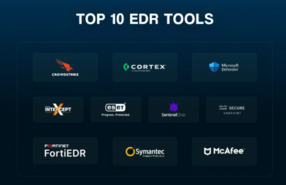
Top 10 Endpoint Detection & Response (EDR) Tools for 2025
1. CrowdStrike Falcon
Short Description:
CrowdStrike Falcon is a leading EDR tool known for its cloud-native platform that provides real-time threat detection and response across endpoints. It is designed to prevent, detect, and respond to security breaches on various devices, including mobile and desktop endpoints.
Key Features:
- Real-time threat detection powered by machine learning
- Cloud-native architecture for scalability
- Integrated threat intelligence feeds
- Continuous monitoring and incident response capabilities
- File and behavioral analysis
Pros:
- Exceptional detection accuracy
- Fast deployment with minimal impact on endpoint performance
- Easy to scale across large enterprise environments
Cons:
- Can be costly for smaller businesses
- May require additional configurations for full integration with other security tools
2. Microsoft Defender for Endpoint
Short Description:
Microsoft Defender for Endpoint offers robust protection against sophisticated cyber threats, providing advanced endpoint protection through behavioral analysis, automation, and integration with Microsoft security solutions.
Key Features:
- Advanced threat protection using machine learning
- Seamless integration with Microsoft 365 environment
- Automated investigation and remediation
- Centralized security management dashboard
- Integration with SIEM tools for comprehensive analysis
Pros:
- Ideal for organizations already using Microsoft 365
- Strong integration with other Microsoft security tools
- Excellent threat analytics and reporting
Cons:
- Limited support for non-Windows platforms
- Might be overwhelming for smaller businesses without dedicated IT teams
3. SentinelOne
Short Description:
SentinelOne is a popular EDR solution providing autonomous endpoint protection powered by AI and machine learning. It offers real-time detection, response, and remediation with a focus on speed and effectiveness.
Key Features:
- Autonomous EDR with AI-driven detection and response
- Cloud-based threat intelligence
- Active threat hunting and incident response
- Real-time forensics and analysis
- Easy-to-use console for management
Pros:
- Fast detection and response times
- Excellent for organizations with limited IT staff
- Comprehensive support for various operating systems
Cons:
- Initial setup may be complex for smaller teams
- Some features may require additional customization
4. Bitdefender GravityZone
Short Description:
Bitdefender GravityZone offers a highly scalable EDR solution that combines endpoint protection with advanced threat intelligence. It is designed to protect organizations of all sizes from a wide range of cyber threats.
Key Features:
- Multi-layered endpoint protection
- Centralized management console
- Real-time behavior monitoring
- Cloud sandboxing for zero-day threats
- Automated response to detected threats
Pros:
- Intuitive user interface
- Effective protection against ransomware and APTs
- Strong multi-platform support
Cons:
- Can be expensive for smaller businesses
- Limited integration options with some third-party tools
5. Sophos Intercept X
Short Description:
Sophos Intercept X is a powerful endpoint protection tool that uses deep learning technology to detect threats in real time. It is particularly effective in preventing ransomware and other evolving attacks.
Key Features:
- Deep learning AI to detect threats
- Anti-ransomware and anti-exploit features
- Automated incident response and remediation
- Centralized management dashboard
- Extensive reporting capabilities
Pros:
- Strong ransomware protection
- Easy integration with other Sophos security tools
- Excellent for SMBs and large enterprises alike
Cons:
- Can be resource-intensive on older devices
- Limited support for some third-party tools
6. Palo Alto Networks Cortex XDR
Short Description:
Palo Alto Networks Cortex XDR is a comprehensive EDR platform that combines network, endpoint, and cloud data to provide robust threat detection and response capabilities. It uses advanced analytics and machine learning to identify threats.
Key Features:
- Endpoint protection and network traffic analysis
- AI-powered detection and prevention
- Integration with Palo Alto Networks’ security ecosystem
- Automated incident response
- Full visibility into endpoint activity
Pros:
- Great for organizations already using Palo Alto’s other security products
- Seamless integration with other Palo Alto solutions
- High detection accuracy and speed
Cons:
- Expensive for smaller businesses
- Requires familiarity with the Palo Alto ecosystem for optimal use
7. VMware Carbon Black
Short Description:
VMware Carbon Black provides next-gen endpoint protection powered by cloud-native technologies. It offers advanced threat hunting and remediation tools for proactive endpoint protection.
Key Features:
- Continuous monitoring and real-time threat detection
- Cloud-native architecture for better scalability
- Automated incident response
- Threat intelligence integration
- File integrity monitoring
Pros:
- Excellent for cloud-first environments
- Strong endpoint visibility and incident response tools
- Good integration with VMware ecosystem
Cons:
- Can be complex to configure initially
- Some advanced features are only available in premium plans
8. Webroot SecureAnywhere
Short Description:
Webroot SecureAnywhere is a lightweight EDR solution that combines fast, cloud-based threat detection with minimal system impact. It is ideal for businesses looking for quick deployment and easy-to-use endpoint protection.
Key Features:
- Real-time cloud-based protection
- Threat intelligence and behavioral analysis
- Fast scanning with minimal system resource usage
- Multi-platform support
- Automated response capabilities
Pros:
- Very fast and lightweight
- Ideal for businesses with limited IT resources
- Good for environments with mixed operating systems
Cons:
- Less advanced than some competitors in terms of threat detection
- Limited customization options for advanced users
9. Trend Micro Apex One
Short Description:
Trend Micro Apex One provides a comprehensive EDR solution that combines multiple security techniques, including machine learning, behavioral analysis, and vulnerability protection.
Key Features:
- Machine learning and behavioral analysis
- Vulnerability protection and patch management
- Centralized management console
- Ransomware and fileless malware protection
- Automated investigation and response
Pros:
- Strong ransomware protection
- Easy to manage with a user-friendly console
- Excellent integration with other Trend Micro products
Cons:
- Can be costly for small businesses
- Some advanced features require additional licensing
10. Cisco Secure Endpoint
Short Description:
Cisco Secure Endpoint (formerly AMP for Endpoints) provides advanced endpoint protection with real-time threat detection, automated response, and visibility into endpoint activities. It is part of Cisco’s broader security ecosystem.
Key Features:
- Real-time protection and threat intelligence
- Cloud and on-premise deployment options
- Advanced threat analysis with Cisco Talos intelligence
- Behavioral analytics and file integrity monitoring
- Incident response automation
Pros:
- Strong integration with other Cisco security tools
- Comprehensive threat intelligence and analysis
- Scalable for large organizations
Cons:
- Can be challenging to configure for non-Cisco environments
- Higher cost for small businesses
Comparison Table:
| Tool Name | Best For | Platform(s) Supported | Standout Feature | Pricing | Rating |
|---|---|---|---|---|---|
| CrowdStrike Falcon | Enterprises & SMBs | Windows, macOS, Linux | Cloud-native architecture | Custom | 4.8/5 |
| Microsoft Defender | Microsoft ecosystem users | Windows, macOS, Android | Seamless integration with Microsoft 365 | Free with Microsoft 365 | 4.7/5 |
| SentinelOne | SMBs & Enterprises | Windows, macOS, Linux | Autonomous EDR with AI | Starts at $5/endpoint/month | 4.6/5 |
| Bitdefender GravityZone | SMBs & Enterprises | Windows, macOS, Linux | Multi-layered protection | Starts at $40/year | 4.7/5 |
| Sophos Intercept X | SMBs & Enterprises | Windows, macOS, Linux | Deep learning AI detection | Starts at $45/endpoint/year | 4.5/5 |
| Palo Alto Networks Cortex XDR | Large enterprises | Windows, macOS, Linux | Integration with Palo Alto ecosystem | Custom | 4.7/5 |
| VMware Carbon Black | Cloud-first businesses | Windows, macOS, Linux | Cloud-native architecture | Custom | 4.6/5 |
| Webroot SecureAnywhere | Small businesses & remote teams | Windows, macOS | Lightweight & fast | Starts at $29.99/year | 4.4/5 |
| Trend Micro Apex One | SMBs & Enterprises | Windows, macOS, Linux | Ransomware protection | Starts at $49.99/endpoint/year | 4.6/5 |
| Cisco Secure Endpoint | Large enterprises & Cisco users | Windows, macOS, Linux | Integration with Cisco security tools | Custom | 4.8/5 |
Which Endpoint Detection & Response (EDR) Tool is Right for You?
When selecting an EDR solution, the best tool for your organization depends on several factors:
- Company Size: Large enterprises may need tools like Palo Alto Networks Cortex XDR or CrowdStrike Falcon for comprehensive threat detection across diverse environments. Small to medium businesses (SMBs) may benefit from more cost-effective tools like Webroot SecureAnywhere or Trend Micro Apex One.
- Industry: If your business operates in highly regulated industries (e.g., healthcare or finance), tools like SentinelOne or Sophos Intercept X with advanced threat detection may be a good fit.
- Budget: Tools like Microsoft Defender offer free protection for organizations already in the Microsoft ecosystem, while others like CrowdStrike or Cisco Secure Endpoint may require a larger budget.
- Integration Needs: If your organization is already using certain security tools, choose an EDR that integrates well with your existing setup, such as Microsoft Defender for Microsoft 365 users or Cisco Secure Endpoint for those already using Cisco security solutions.
Conclusion
As the cyber threat landscape continues to evolve, having a robust EDR tool is more important than ever in 2025. The tools mentioned above are some of the best in the market, offering comprehensive features for detecting and responding to threats across all types of endpoints. By considering your organization’s size, industry, and security needs, you can choose the EDR solution that best fits your requirements.
Make sure to explore demos or free trials of these tools to understand their capabilities before making a purchase decision.
FAQs
- What is an Endpoint Detection & Response (EDR) tool?
An EDR tool is a cybersecurity solution that monitors, detects, and responds to security threats on endpoint devices like laptops, desktops, and mobile phones. - Why is EDR important in 2025?
As cyber threats grow more sophisticated, EDR tools help organizations protect their endpoints in real-time by providing advanced threat detection and incident response capabilities. - Can I use EDR tools for both on-premises and cloud-based environments?
Yes, many EDR tools like CrowdStrike Falcon and VMware Carbon Black are designed to work seamlessly across both on-premises and cloud-based environments. - What are the key features to look for in an EDR tool?
Look for features such as real-time threat detection, AI-driven threat analysis, automated response capabilities, and seamless integration with other security tools. - Which EDR tool is best for small businesses?
Webroot SecureAnywhere and Trend Micro Apex One are excellent options for small businesses due to their ease of use, fast deployment, and affordability.