MOTOSHARE 🚗🏍️
Turning Idle Vehicles into Shared Rides & Earnings
From Idle to Income. From Parked to Purpose.
Earn by Sharing, Ride by Renting.
Where Owners Earn, Riders Move.
Owners Earn. Riders Move. Motoshare Connects.
With Motoshare, every parked vehicle finds a purpose.
Owners earn. Renters ride.
🚀 Everyone wins.
Introduction
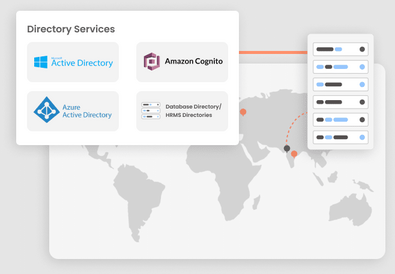
Directory Services tools are critical infrastructure for managing identities, authenticating access, and securing resources—especially in 2025’s hybrid, cloud-driven environments. As organizations juggle on-premises systems, Azure/Microsoft Entra ID, AWS, Google Cloud, and SaaS apps, selecting the right directory tool demands a focus on scalability, integration, security, ease of use, and cost-effectiveness. Whether you’re supporting thousands of users across continents or running a nimble startup, the right tool can streamline user management, enhance compliance, and strengthen identity security. In this guide, you’ll explore the top 10 directory services tools, including their standout features, real-world pros and cons, pricing approaches, and guidance to help decision-makers select the best solution for their 2025 needs.
Top 10 Directory Services Tools in 2025
Here are the leading directory services tools—ideal for modern identity infrastructure.
1. Microsoft Active Directory
- Short Description: The classic enterprise directory—ideal for Windows-focused environments and hybrid cloud identity with Azure/Microsoft Entra ID integration.
- Key Features:
- Centralized identity and access control
- Group Policy management
- Hybrid integration with Azure AD
- Extensive auditing and reporting
- MFA support
- Pros:
- Deeply integrated in Microsoft ecosystems
- Scalable and feature-rich
- Cons:
- Complex setup for hybrid/cloud environments
- Less flexible for non-Windows platforms
2. Okta
- Short Description: Cloud-native identity provider offering directory, SSO, lifecycle management—great for multicloud and SaaS-centric organizations.
- Key Features:
- Cloud-based directory
- SSO across applications
- Automated user provisioning
- Strong MFA and security controls
- Wide integration ecosystem
- Pros:
- Easy to deploy, cloud-first design
- Excellent user experience and manageability
- Cons:
- Subscription cost can escalate
- Fewer on-prem AD-specific features
3. JumpCloud
- Short Description: Directory-as-a-Service that unifies device, user, and cloud app management—designed for modern, device-diverse organizations.
- Key Features:
- Cross-platform user directory
- MDM and device policy controls
- LDAP, RADIUS, and SSO integration
- Cloud-friendly with lightweight agents
- Pros:
- Solid multi-platform support
- Flexible and scalable
- Cons:
- Advanced features may incur cost
- Learning curve for traditional admins
4. AWS Directory Service
- Short Description: Managed cloud directory for AWS users, supporting Microsoft AD or Simple AD—efficient for extending traditional AD into AWS.
- Key Features:
- Managed Microsoft AD in AWS
- Simple setup and SSO integration
- High availability and scaling
- Compliance-ready with CloudTrail logging
- Pros:
- Native integration in AWS
- No infrastructure to manage
- Cons:
- Limited to AWS ecosystem
- Feature set less comprehensive than full AD
5. Google Cloud Directory (Cloud Identity)
- Short Description: Identity platform for GCP and SaaS-focused organizations—supports device and user management across the Google ecosystem.
- Key Features:
- Cloud-based directory for G Suite/GCP
- User and device management
- SSO across Google services
- MFA and security dashboards
- Pros:
- Seamless for Google-first environments
- Cloud-native and agile
- Cons:
- Less power for traditional AD use cases
- Platform-specific limitations
6. One Identity Active Roles
- Short Description: Enterprise-grade hybrid identity management for AD and Entra ID—great for large organizations needing automation, delegation, and compliance.
- Key Features:
- Cross-premises identity automation
- Delegated admin and role-based access
- Hybrid AD & Entra ID management
- Compliance auditing
- Pros:
- Rich enterprise feature set
- Strong hybrid governance
- Cons:
- Higher cost, complexity of deployment
7. ManageEngine ADManager Plus
- Short Description: A comprehensive AD management tool with user provisioning, group management, and reporting—ideal for admins seeking efficiency.
- Key Features:
- Bulk user/group operations
- Reporting and automation
- Hybrid directory support (AD/Azure)
- Role-based access and compliance tools
- Pros:
- More user-friendly than native AD
- Broad feature set with trial availability
- Cons:
- On-prem focus may limit cloud-native agility
8. Netwrix Directory Manager
- Short Description: Solution focused on identity lifecycle, auditing, and compliance—perfect for organizations with tight governance requirements.
- Key Features:
- User lifecycle automation
- Access permissions and auditing
- Compliance reporting
- Pros:
- Compliance-first design
- Freemium edition available
- Cons:
- Limited integration beyond AD-centric environments
9. SolarWinds Access Rights Manager
- Short Description: Tool for managing permissions, auditing access, and ensuring least privilege across AD and file systems.
- Key Features:
- Permission analysis
- Access rights management
- Activity auditing and insights
- Pros:
- Great for permission visibility and cleanup
- Cons:
- Interface can be overwhelming
- Windows-centric
10. Microsoft Entra Domain Services (Managed Domain)
- Short Description: Fully managed AD DS domain in Azure—simplifies lift-and-shift without domain controller management.
- Key Features:
- Managed LDAP/Kerberos support in Azure
- Domain join, Group Policy, and sync with Entra ID
- No server management required
- Pros:
- Easy setup in hybrid cloud scenarios
- Reduces infrastructure burden
- Cons:
- Limited customization and control
- Not a full AD replica
Comparison Table
| Tool Name | Best For | Platforms Supported | Standout Feature | Pricing | Rating (G2/Capterra) |
|---|---|---|---|---|---|
| Microsoft Active Directory | Windows/hybrid enterprises | Windows + Azure | Full AD feature set | Custom | — |
| Okta | Cloud-first, multicloud | Cloud-agnostic | SSO + lifecycle automation | Subscription-based | — |
| JumpCloud | Device-diverse environments | Windows/Linux/macOS/SaaS | Unified cross-platform directory | Subscription-based | — |
| AWS Directory Service | AWS cloud workloads | AWS hosted | Managed AD in AWS | “Starts at”/Custom | — |
| Google Cloud Directory | Google ecosystem | Google Cloud/SaaS | Cloud Identity + SSO | Subscription-based | — |
| One Identity Active Roles | Large enterprises, compliance | Windows + cloud hybrid | Hybrid automation + delegation | Custom | — |
| ManageEngine ADManager Plus | Administrators needing usability | Windows + Azure | Bulk operations + reporting | Free trial / Custom | — |
| Netwrix Directory Manager | Governance & compliance | Windows | Lifecycle + compliance | Freemium / Custom | — |
| SolarWinds Access Rights Manager | Permissions visibility & auditing | Windows | Access rights insights | Free trial / Custom | — |
| Microsoft Entra Domain Services | Azure migrations | Azure | Managed domain service | Custom | — |
(Note: G2/Capterra ratings vary; include actual scores in live posts if available.)
Which Directory Services Tool Is Right for You?
- Small to mid-sized businesses – Try JumpCloud or Okta for quick deployment, multi-platform support, and low infrastructure maintenance.
- Existing Microsoft-heavy enterprise – Stick with Microsoft AD or modernize with Active Roles for automation, or extend to the cloud via Entra Domain Services.
- AWS or Google cloud-first teams – Choose AWS Directory Service or Google Cloud Directory for native integration and managed infrastructure.
- Regulated or compliance-focused organizations – Netwrix and SolarWinds ARM help enforce least privilege, access audits, and governance.
- Admins seeking daily operations ease – ADManager Plus simplifies user and group management with reporting and task automation.
SEO-Focused FAQs
Q1: What are Directory Services tools?
Directory services tools manage user identities, authenticate access, and enforce security/policies across IT environments—encompassing on-prem, cloud, and SaaS systems.
Q2: Which is the best Directory Services software for hybrid environments?
One Identity Active Roles and Microsoft Entra Domain Services are top for hybrid setups. ManageEngine ADManager Plus also supports hybrid operations.
Q3: How do I compare Directory Services tools?
Focus on environment compatibility (on‑prem vs cloud), automation, security features (MFA, auditing), scalability, ease of use, and cost. Use comparison tables like above.
Q4: Are there free Directory Services tools?
Yes—Netwrix Directory Manager offers freemium editions, and tools like Microsoft AD Explorer or ManageEngine free bundles provide no-cost options.
Q5: Why are Directory Services tools essential in 2025?
Because modern IT infrastructure is hybrid and cloud-native—Directory Services tools ensure secure, scalable, compliant identity management across diverse systems.
Conclusion
In 2025’s complex identity landscape, picking the right Directory Services tool can transform how your organization handles access, compliance, and user lifecycle. Whether you lean on trusted pillars like Microsoft Active Directory, migrate toward cloud-native solutions such as Okta or JumpCloud, or optimize governance via tools like Netwrix and SolarWinds—there’s an option tailored to your needs. Use the decision guide and comparison table above to narrow down your choices, and always start with trials or demos to evaluate real-world fit.