MOTOSHARE 🚗🏍️
Turning Idle Vehicles into Shared Rides & Earnings
From Idle to Income. From Parked to Purpose.
Earn by Sharing, Ride by Renting.
Where Owners Earn, Riders Move.
Owners Earn. Riders Move. Motoshare Connects.
With Motoshare, every parked vehicle finds a purpose.
Owners earn. Renters ride.
🚀 Everyone wins.
Introduction
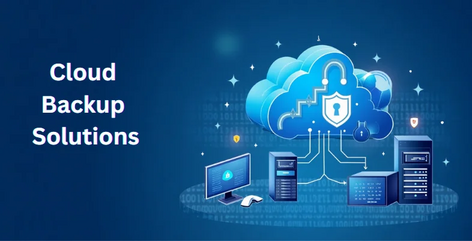
In 2025, as data becomes increasingly vital to businesses and individuals, the need for reliable cloud backup tools has never been more crucial. Cloud backup tools offer an essential service by storing your critical data securely on remote servers, ensuring that you have access to it anytime and from anywhere. They protect against accidental data loss, hardware failure, and even cyberattacks. With more businesses moving toward digital environments, these tools have become a key component of both personal and corporate data strategies.
Cloud backup tools differ in terms of features, pricing, platform compatibility, and more. As we enter a data-driven world, selecting the best cloud backup solution is vital to ensure the safety of your data and smooth business operations. In this blog, we’ll explore the top 10 cloud backup tools in 2025, their features, pros, cons, and how to choose the one that best fits your needs.
Top 10 Cloud Backup Tools in 2025
1. Backblaze
Short Description: Backblaze offers reliable, simple, and affordable cloud backup solutions for both individuals and businesses. It’s known for its ease of use and exceptional customer service.
Key Features:
- Unlimited storage for personal backups
- Automatic and continuous backup
- Advanced encryption for data protection
- Affordable pricing plans
- Supports Mac and Windows devices
- Quick file restoration
Pros: - Unlimited storage for a flat fee
- High-speed backup and recovery
- Simple user interface
Cons: - Lacks versioning for some file types
- No support for mobile backups
2. Carbonite
Short Description: Carbonite is a well-known name in the cloud backup space, providing robust backup services for both home and business users. Its solutions are flexible and easy to scale.
Key Features:
- Automatic and scheduled backups
- Support for external drives
- Remote data access
- 24/7 customer support
- Hybrid backup (local and cloud)
- File versioning
Pros: - Scalable for businesses
- Supports multiple devices
- Easy setup and management
Cons: - Higher pricing compared to some competitors
- Some users report slow restores
3. Acronis Cyber Backup
Short Description: Acronis Cyber Backup is a powerful cloud backup tool designed for both individual users and businesses. It integrates data protection with cybersecurity, ensuring data is safe from both loss and threats.
Key Features:
- Backup for all devices (servers, mobile, desktop)
- Integrated ransomware protection
- Cloud storage with military-grade encryption
- Flexible backup scheduling
- Advanced disaster recovery tools
Pros: - Strong cybersecurity features
- Supports a wide range of platforms
- Granular control over backups
Cons: - Steeper learning curve
- Can be expensive for small businesses
4. IDrive
Short Description: IDrive offers cloud backup with unique features, including the ability to backup multiple devices on a single account. Its cross-platform capabilities make it ideal for both personal and business use.
Key Features:
- Continuous data backup for Windows, macOS, Linux, iOS, and Android
- Backup for external drives
- File syncing across devices
- 1 TB of free backup space
- 256-bit AES encryption
Pros: - Affordable pricing for multiple devices
- Advanced scheduling and backup features
- High-speed data transfer
Cons: - Interface can be confusing for new users
- Limited free storage
5. Google Drive Backup & Sync
Short Description: Google Drive’s Backup & Sync service allows users to back up files to the cloud while enjoying seamless integration with Google’s ecosystem. It’s great for individuals and small businesses.
Key Features:
- Integration with Google Workspace
- Automatic sync of files across devices
- Unlimited storage for Google Workspace users
- File sharing and collaboration tools
- Secure file encryption
Pros: - Simple and free to use (with 15GB free storage)
- Easy integration with Google services
- Available across multiple platforms
Cons: - Limited free storage
- Not as feature-rich for large businesses
6. Dropbox
Short Description: Dropbox is one of the most popular cloud storage services that offers a hybrid model of cloud storage and backup. It’s ideal for businesses that need seamless collaboration and file access.
Key Features:
- Automatic syncing of files and folders
- Smart sync for selective file backup
- File version history and recovery
- Collaboration tools (Dropbox Paper)
- Integrations with third-party apps
Pros: - Great collaboration and sharing tools
- Easy-to-use interface
- Fast synchronization across devices
Cons: - Expensive storage options
- Limited backup features for home users
7. Wasabi
Short Description: Wasabi offers cloud storage and backup solutions aimed at enterprises and IT professionals, with a focus on high-performance data storage at affordable prices.
Key Features:
- Pay-as-you-go pricing model
- 11 nines durability (99.999999999%)
- No egress or API request fees
- Supports integrations with third-party tools
- High-speed data transfer
Pros: - Affordable pricing structure
- Extremely fast upload and download speeds
- Great for large businesses with high storage needs
Cons: - No built-in backup solution, more for storage
- Limited features compared to other backup tools
8. SpiderOak ONE
Short Description: SpiderOak ONE provides zero-trust cloud backup solutions with military-grade encryption for security-conscious users and businesses.
Key Features:
- End-to-end encryption
- Supports Windows, macOS, and Linux
- Files are never decrypted on SpiderOak’s servers
- File and folder backup, not just storage
- Cross-device sync and sharing
Pros: - Extremely secure, zero-trust design
- Affordable pricing for individuals and small businesses
- Reliable file recovery options
Cons: - Steep learning curve for beginners
- No free plan
9. CrashPlan for Small Business
Short Description: CrashPlan is known for its business-focused cloud backup solutions. It provides unlimited cloud backup with simple setup and remote file access for teams.
Key Features:
- Continuous file backup
- Unlimited storage
- Remote file access
- File version history and recovery
- 256-bit AES encryption
Pros: - Unlimited backup storage
- Great for small businesses
- Easy to manage backups from a central dashboard
Cons: - Not suitable for personal use
- Pricing is on the higher side
10. Sync.com
Short Description: Sync.com offers secure cloud backup solutions with a focus on privacy and collaboration, ensuring complete data control for businesses and individuals.
Key Features:
- End-to-end encryption
- File versioning and history
- Unlimited file sharing
- Support for file syncing
- Collaborative workspace for teams
Pros: - Affordable and privacy-focused
- Great for teams and business use
- Easy-to-use interface
Cons: - Free storage is limited
- Slow upload speeds on the free plan
Comparison Table
| Tool Name | Best For | Platform(s) | Standout Feature | Pricing | G2/Capterra/Trustpilot Rating |
|---|---|---|---|---|---|
| Backblaze | Home users & small businesses | Mac, Windows | Unlimited storage | $7/month | 4.7/5 |
| Carbonite | Small to mid-sized businesses | Mac, Windows | Hybrid backup (local + cloud) | $6/month | 4.5/5 |
| Acronis | Large businesses & enterprises | Mac, Windows, Linux | Cybersecurity features | Starts at $49.99/year | 4.3/5 |
| IDrive | Home users & small businesses | Mac, Windows, Linux, iOS, Android | Multiple device support | Starts at $79.50/year | 4.6/5 |
| Google Drive | Home users & small businesses | Web, Android, iOS | Google integration | Free with 15GB, Paid plans available | 4.8/5 |
| Dropbox | Businesses, teams | Mac, Windows, Linux, iOS, Android | File collaboration | Starts at $9.99/month | 4.5/5 |
| Wasabi | Enterprises and IT professionals | Mac, Windows, Linux | High durability & no egress fees | $5.99/TB/month | 4.4/5 |
| SpiderOak ONE | Security-conscious users | Mac, Windows, Linux | Zero-trust security | Starts at $6/month | 4.3/5 |
| CrashPlan | Small businesses | Mac, Windows, Linux | Unlimited storage | $10/month | 4.4/5 |
| Sync.com | Privacy-conscious users | Mac, Windows, Linux, iOS, Android | End-to-end encryption | Starts at $8/month | 4.7/5 |
Decision-Making Guide
- Best for small businesses: Backblaze and CrashPlan offer affordable and easy-to-use solutions with unlimited backup storage, ideal for businesses with high data needs but a smaller budget.
- Best for large enterprises: Acronis offers comprehensive features that include both backup and cybersecurity solutions, making it a robust choice for enterprises that need advanced protection.
- Best for security-conscious users: SpiderOak ONE provides end-to-end encryption and a zero-trust architecture, making it the go-to solution for those with heightened security needs.
- Best for file collaboration: Dropbox is perfect for teams that require seamless file syncing and collaborative tools with easy access across multiple devices.
Conclusion
Cloud backup tools are no longer a luxury but a necessity in 2025. Whether you are a personal user looking to safeguard your files or a large enterprise protecting sensitive data, there’s a cloud backup solution for every need. As the landscape evolves, tools are becoming smarter, more secure, and more integrated with other services. Before choosing, consider your needs—whether it’s unlimited storage, security features, or collaboration tools.
For most businesses, starting with a free trial or demo will help you understand the tool that fits best with your current infrastructure and budget. Remember that data protection should never be an afterthought. Act now to secure your data with the best cloud backup tools in 2025!
FAQs
1. What is the difference between cloud storage and cloud backup?
Cloud storage is used for file sharing and syncing across devices, while cloud backup is focused on creating a secure, automated copy of your data in case of data loss.
2. Can I use these tools for personal data backup?
Yes, many cloud backup tools like Backblaze and IDrive offer plans specifically tailored for personal use.
3. How secure is my data with these tools?
Most of these tools provide encryption (AES-256) to ensure your data is protected. Some, like SpiderOak ONE, offer additional layers of security with zero-trust models.
4. What happens if I exceed my storage limits?
Many tools, like Backblaze and CrashPlan, offer unlimited storage, while others, like Google Drive, have tiered plans that you can upgrade as needed.
5. How long does it take to recover data from these services?
Recovery times vary, but many tools like Acronis and Backblaze provide fast data recovery options with customizable restore speeds.