MOTOSHARE 🚗🏍️
Turning Idle Vehicles into Shared Rides & Earnings
From Idle to Income. From Parked to Purpose.
Earn by Sharing, Ride by Renting.
Where Owners Earn, Riders Move.
Owners Earn. Riders Move. Motoshare Connects.
With Motoshare, every parked vehicle finds a purpose.
Owners earn. Renters ride.
🚀 Everyone wins.
Introduction
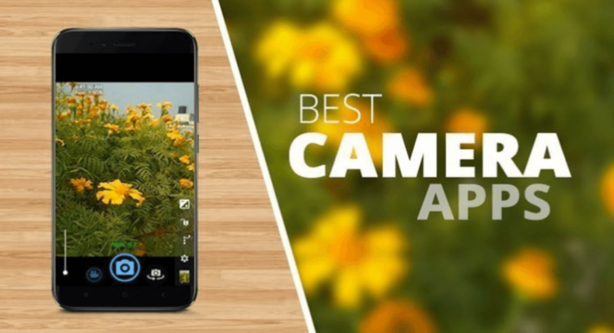
In the ever-evolving world of mobile photography, Camera Apps tools have become essential for anyone looking to enhance their smartphone camera capabilities. Whether you’re an amateur photographer, a social media enthusiast, or a professional looking to capture stunning visuals, the right camera app can significantly improve your experience.
In 2025, Camera Apps tools are no longer just about clicking pictures; they offer advanced features like AI-powered editing, customizable settings, and video recording capabilities. With smartphones continuously advancing in camera technology, Camera Apps are designed to help users unlock the full potential of their devices, ensuring that every shot is picture-perfect.
When choosing the right camera app, users should consider factors such as the app’s ease of use, range of features, compatibility with their device, and the quality of images or videos produced. The tools listed in this post represent the best options in the industry for 2025.
Top 10 Camera Apps Tools (2025)
1. Adobe Lightroom
Short Description:
Adobe Lightroom remains a top choice for both beginner and professional photographers. Known for its powerful editing tools and seamless integration with Adobe’s Creative Cloud, Lightroom is perfect for users who want to capture stunning photos and edit them with advanced features.
Key Features:
- RAW photo support for high-quality images
- Advanced editing tools, including curves, color grading, and masking
- Cloud sync across devices for easy access
- AI-powered photo enhancement options
- Presets and profiles for quick editing
Pros:
- High-quality output with professional-grade editing tools
- Excellent integration with Adobe products
- Cloud storage for easy backup and access across devices
Cons:
- Requires a subscription for full features
- Can be complex for beginners
- Limited features on mobile compared to the desktop version
2. ProCam 8
Short Description:
ProCam 8 offers DSLR-like control over your iPhone’s camera. With manual settings for focus, exposure, and white balance, ProCam 8 is ideal for those who want more control over their photos and videos.
Key Features:
- Full manual control of camera settings
- High-definition video recording with 4K support
- Advanced photo modes, including slow shutter, time-lapse, and burst
- Professional-level editing tools
- Real-time preview of edits before capture
Pros:
- Complete manual control over the camera
- Great for professional photographers and videographers
- Wide range of creative modes for diverse shooting needs
Cons:
- Steeper learning curve for new users
- More suited for advanced photographers, not casual users
- Premium features require a purchase
3. Snapseed
Short Description:
Snapseed by Google is a user-friendly yet powerful photo editor that gives users the ability to adjust every aspect of their image. Whether you’re an amateur or a pro, Snapseed’s range of tools can enhance any shot.
Key Features:
- 29 tools and filters for photo manipulation
- Healing tool for retouching photos
- Perspective and transform tools
- Non-destructive editing
- Support for RAW and TIFF files
Pros:
- Free to use with no hidden costs
- Easy-to-use interface
- Ideal for quick photo edits and enhancements
Cons:
- Limited features for video editing
- Lacks some of the more advanced editing features of paid tools
- Interface may feel cluttered for some users
4. VSCO
Short Description:
VSCO is a popular app known for its minimalist interface and wide range of filters and presets. It is perfect for those who want to create aesthetic photos with a touch of art without much effort.
Key Features:
- Presets designed to create unique photo looks
- Advanced editing tools, including exposure, contrast, and color adjustments
- Photo sharing and community features
- Video editing tools for creating unique content
- Membership options for more features
Pros:
- Easy to use with tons of presets and filters
- Great for social media influencers and bloggers
- Offers a built-in photo-sharing community
Cons:
- Free version is limited, with many features behind a paywall
- The app’s social features are not as popular as other platforms like Instagram
- Lacks full manual control for advanced photography
5. Camera FV-5
Short Description:
Camera FV-5 is an Android-exclusive app for users who need DSLR-like control over their mobile photography. It offers advanced features like manual focus, ISO, shutter speed, and exposure settings, making it ideal for serious photographers.
Key Features:
- Manual focus and exposure controls
- Long exposure photography capabilities
- Built-in intervalometer for time-lapse shots
- RAW capture support
- Customizable interface
Pros:
- Perfect for Android users looking for manual control
- High-quality photos with manual settings
- Supports RAW image formats
Cons:
- Not available for iOS users
- Interface can be complex for new users
- Lacks video recording features
6. Halide Mark II
Short Description:
Halide Mark II is known for its elegant interface and pro-level camera controls on iOS. It is particularly known for its intuitive gestures, focus peaking, and in-depth manual settings for those who want a powerful mobile camera tool.
Key Features:
- Manual controls for focus, exposure, and ISO
- Focus peaking and depth editing tools
- RAW capture and image processing
- Customizable interface with intuitive gestures
- Real-time exposure and focus indicators
Pros:
- Exceptional for iPhone photographers
- User-friendly despite its advanced features
- Excellent RAW photo processing
Cons:
- Requires a subscription for advanced features
- Limited video options
- Some users find the learning curve steep
7. Obscura 2
Short Description:
Obscura 2 is an iOS-only camera app with a focus on simplicity and elegance. It offers full manual controls for users, allowing them to take control of the camera while also providing a clean interface.
Key Features:
- Manual control for focus, exposure, and ISO
- Beautiful design with a focus on simplicity
- Support for RAW images
- Integrated with iCloud for photo backup
- Portrait mode for professional-looking shots
Pros:
- Highly intuitive and easy-to-use interface
- Perfect for users who want manual control without complexity
- Strong integration with iOS devices
Cons:
- Limited to iOS devices
- Advanced features locked behind a paywall
- Some features are only accessible in the Pro version
8. Moment Pro Camera
Short Description:
Moment Pro Camera is a professional camera app designed for both beginners and pros. With powerful manual controls and the ability to shoot in RAW, Moment is ideal for those looking for more advanced photography on their mobile device.
Key Features:
- Manual focus, exposure, and ISO control
- RAW and TIFF photo formats
- Support for 24fps video capture
- Customizable lens options
- Real-time histogram for exposure adjustments
Pros:
- Excellent control over camera settings
- Great for those looking to step up their mobile photography
- High-quality image output
Cons:
- More suited to experienced users
- Not all features are available on all devices
- Requires additional Moment lenses for full experience
9. Facetune 2
Short Description:
Facetune 2 is a go-to app for anyone who loves to enhance their selfies. Packed with tools to smooth skin, whiten teeth, and adjust facial features, it’s perfect for quick and easy editing of portraits.
Key Features:
- Face retouching tools for smooth skin and teeth whitening
- Background blur and lighting adjustments
- Advanced makeup features, including eye shadow and lipstick
- High-quality filters and textures
- Editing tools for hair, skin tone, and facial features
Pros:
- Easy to use with a beginner-friendly interface
- Great for selfies and portrait shots
- Offers a variety of unique facial enhancement tools
Cons:
- Some features are locked behind a paywall
- Not as suitable for nature or landscape photography
- Limited manual control over exposure and focus
10. Pixlr
Short Description:
Pixlr offers both a camera app and a powerful editing suite. With a range of filters, effects, and tools, Pixlr is suitable for users looking for creative freedom in both photography and post-editing.
Key Features:
- Easy-to-use editing tools
- Over 2 million combinations of effects, overlays, and filters
- Auto-fix tools for quick enhancements
- Collage and grid maker
- Color correction and photo effects
Pros:
- Free with access to many features
- Highly creative with filters and effects
- Intuitive user interface for quick editing
Cons:
- Lacks some of the advanced manual controls found in other apps
- Ads in the free version
- Editing tools may not be sufficient for professional photographers
Comparison Table
| Tool Name | Best For | Platform(s) Supported | Standout Feature | Pricing | Rating (G2/Capterra/Trustpilot) |
|---|---|---|---|---|---|
| Adobe Lightroom | Professional photographers | iOS, Android, Desktop | Advanced photo editing | Starts at $9.99/month | 4.5/5 |
| ProCam 8 | Advanced iPhone users | iOS | DSLR-like controls | $7.99 | 4.4/5 |
| Snapseed | Quick photo editing | iOS, Android | Wide range of filters | Free | 4.7/5 |
| VSCO | Social media influencers | iOS, Android | Presets & community | Free/Pro | 4.6/5 |
| Camera FV-5 | Android photographers | Android | Full manual control | $3.99 | 4.3/5 |
| Halide Mark II | Professional iPhone users | iOS | Intuitive gestures | $5.99 | 4.6/5 |
| Obscura 2 | Casual photographers | iOS | Simple manual controls | $4.99 | 4.5/5 |
| Moment Pro Camera | Advanced mobile photographers | iOS, Android | Lens options | $5.99 | 4.4/5 |
| Facetune 2 | Selfie lovers | iOS, Android | Retouching tools | $4.99 | 4.5/5 |
| Pixlr | Creative photo editing | iOS, Android | Filters & effects | Free/Pro | 4.3/5 |
Which Camera Apps Tool is Right for You?
- For Professionals: If you’re a professional photographer or videographer, tools like Adobe Lightroom, Moment Pro Camera, and ProCam 8 provide high-end features like RAW support, full manual controls, and advanced editing options.
- For Social Media Enthusiasts: If you’re into creating aesthetically pleasing social media content, VSCO, Facetune 2, and Snapseed offer easy-to-use tools with powerful filters and quick editing options.
- For Beginners: If you’re just getting started with mobile photography, Pixlr and Obscura 2 are excellent for simple yet effective editing without overwhelming complexity.
Conclusion
The landscape of Camera Apps tools in 2025 is richer than ever, with apps offering a range of features that can turn your smartphone into a professional camera. Whether you’re a casual user looking to enhance your selfies, a content creator aiming for Instagram-worthy photos, or a professional photographer in need of precise control, the right camera app can elevate your photography experience. Don’t hesitate to explore demos or free trials of these tools to find the one that best fits your needs.
FAQs
Q1: Are Camera Apps tools free?
Many camera apps offer free versions, but the full feature set often requires a paid subscription or one-time purchase.
Q2: Can Camera Apps improve the quality of photos?
Yes, apps like Adobe Lightroom and ProCam 8 can enhance photo quality by offering advanced editing tools and manual control over the camera settings.
Q3: Which Camera App is best for professional photographers?
For professional photographers, apps like Adobe Lightroom, Moment Pro Camera, and ProCam 8 are highly recommended for their full manual controls and advanced editing features.
Q4: Can I use these apps for video recording?
Yes, many of the tools listed, such as ProCam 8, Moment Pro Camera, and Halide Mark II, offer excellent video recording features, including 4K recording.