MOTOSHARE 🚗🏍️
Turning Idle Vehicles into Shared Rides & Earnings
From Idle to Income. From Parked to Purpose.
Earn by Sharing, Ride by Renting.
Where Owners Earn, Riders Move.
Owners Earn. Riders Move. Motoshare Connects.
With Motoshare, every parked vehicle finds a purpose.
Owners earn. Renters ride.
🚀 Everyone wins.
Introduction
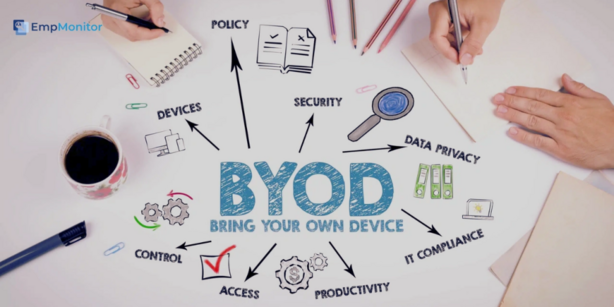
BYOD (Bring Your Own Device) Management Tools are crucial for businesses that allow employees to use their personal devices—smartphones, tablets, and laptops—for work-related tasks. As more organizations adopt the BYOD approach, managing these devices becomes increasingly complex, especially with regards to security, compliance, and data management. In 2025, the landscape for BYOD management is evolving, and choosing the right tool is vital for businesses of all sizes.
In this blog post, we’ll explore the Top 10 BYOD Management Tools of 2025. These tools provide a wide range of features, from secure device management and app deployment to real-time monitoring and data protection. As we dive deeper into each tool, we’ll highlight key features, pros, cons, and provide a comparison table to help you make an informed decision on the best solution for your business.
Top 10 BYOD Management Tools in 2025
1. MobileIron (now part of Ivanti)
- Short Description: MobileIron, now part of Ivanti, is a leading BYOD management platform that helps organizations secure, monitor, and manage mobile devices used in the workplace.
- Key Features:
- Enterprise-grade security and encryption for mobile devices.
- Unified endpoint management (UEM) for seamless device control.
- App management and secure app store integration.
- Support for multiple operating systems including iOS, Android, and Windows.
- Compliance enforcement tools for BYOD policies.
- Pros:
- Comprehensive security features and policy enforcement.
- Highly scalable for businesses of any size.
- Strong customer support and training resources.
- Cons:
- Some users find the interface a bit complex.
- Pricing can be high for small businesses.
2. Microsoft Intune
- Short Description: Microsoft Intune is a cloud-based service that offers mobile device management (MDM) and mobile application management (MAM) to help organizations secure their BYOD environment.
- Key Features:
- Integration with Microsoft 365 for seamless app management.
- Cloud-based management of both corporate and personal devices.
- Conditional access to apps and resources based on compliance.
- Remote wipe functionality for lost or stolen devices.
- Cross-platform support including iOS, Android, Windows, and macOS.
- Pros:
- Tight integration with Microsoft products.
- Easy to use and manage for enterprises already using Microsoft 365.
- Scalable and flexible for businesses of all sizes.
- Cons:
- Limited non-Microsoft integrations.
- Some advanced features require additional configurations.
3. VMware Workspace ONE
- Short Description: VMware Workspace ONE is a comprehensive platform that provides unified endpoint management (UEM) for securing, managing, and supporting BYOD devices in organizations.
- Key Features:
- Integration with VMware’s enterprise solutions for seamless IT management.
- Intelligent mobile device management (MDM) with security policies.
- Supports a wide range of device types, including BYOD and corporate-owned devices.
- Real-time compliance reporting and automated remediation.
- Identity management and access control integrated with Active Directory.
- Pros:
- Excellent scalability and integration with VMware ecosystems.
- Robust security and compliance management tools.
- Strong reporting and analytics.
- Cons:
- Can be overwhelming for smaller businesses due to the breadth of features.
- Pricing is on the higher end for smaller organizations.
4. Cisco Meraki
- Short Description: Cisco Meraki provides an intuitive, cloud-based BYOD management solution that allows businesses to control mobile devices, security, and applications from a single dashboard.
- Key Features:
- Easy-to-use web dashboard for device management.
- Wi-Fi and networking integration for comprehensive control.
- Device tracking, remote wipe, and geolocation.
- Support for both BYOD and corporate-owned devices.
- Compliance monitoring and reporting tools.
- Pros:
- User-friendly interface.
- Strong support for both device management and networking.
- Comprehensive security features with cloud-based management.
- Cons:
- Can be costly for small businesses.
- Limited advanced reporting features compared to other solutions.
5. Jamf Now
- Short Description: Jamf Now specializes in managing Apple devices in the workplace. It provides an easy-to-use, cloud-based solution for managing BYOD Apple devices.
- Key Features:
- Device setup and configuration for iPhones, iPads, and Macs.
- Remote management and monitoring of devices.
- Simple deployment of apps and configurations.
- Security settings and compliance monitoring.
- Supports Apple Business Manager and Apple School Manager integration.
- Pros:
- Excellent for businesses that primarily use Apple devices.
- Simple, user-friendly interface for small businesses.
- Low-cost entry point for smaller businesses.
- Cons:
- Limited to Apple devices only.
- Lacks some advanced features compared to other enterprise solutions.
6. Samsung Knox Manage
- Short Description: Samsung Knox Manage is a cloud-based enterprise mobility management (EMM) solution designed for managing both BYOD and company-owned Samsung devices securely.
- Key Features:
- Device management and security for Samsung smartphones, tablets, and wearables.
- Remote device management and control, including geofencing and location tracking.
- App management with the ability to push updates and lock down apps.
- Integration with Active Directory and other enterprise tools.
- Advanced data protection and encryption.
- Pros:
- Specialized for Samsung devices, offering deep integration.
- Strong security features with data encryption.
- Great for companies using Samsung hardware.
- Cons:
- Primarily focused on Samsung devices, limiting cross-brand support.
- Limited features for non-Samsung devices.
7. Citrix Endpoint Management
- Short Description: Citrix Endpoint Management (formerly XenMobile) is a complete solution for managing mobile devices, applications, and data in a BYOD environment, offering deep integration with Citrix’s virtual workspace solutions.
- Key Features:
- Integration with Citrix virtual apps and desktops for secure access.
- Device and app management with security policies.
- Remote wipe and data protection tools.
- Support for Android, iOS, and Windows devices.
- Advanced analytics for tracking device usage and compliance.
- Pros:
- Ideal for businesses using Citrix products.
- Strong security and compliance features.
- Scalable for large organizations.
- Cons:
- Can be complex for small businesses to implement.
- Requires familiarity with Citrix’s ecosystem.
8. Mobile Device Manager Plus
- Short Description: ManageEngine’s Mobile Device Manager Plus offers a powerful and intuitive BYOD management tool with advanced mobile device management capabilities for enterprises.
- Key Features:
- Support for Android, iOS, and Windows devices.
- Remote device management with over-the-air configurations.
- App management, including silent app installation.
- Security policies for data encryption, remote wipe, and password enforcement.
- Detailed analytics and reports on device usage and compliance.
- Pros:
- Affordable pricing with a free version for smaller teams.
- Intuitive interface and simple setup.
- Comprehensive device and app management.
- Cons:
- Limited advanced features compared to higher-end solutions.
- The free version has limited features.
9. AirWatch by VMware
- Short Description: AirWatch, a VMware solution, provides a robust set of tools for managing mobile devices, apps, and content in a secure and compliant way.
- Key Features:
- Cross-platform management for Android, iOS, and Windows devices.
- Advanced security and compliance management tools.
- Application lifecycle management with integration to app stores.
- Multi-tier device management for both BYOD and corporate-owned devices.
- Self-service portal for end users to manage their devices.
- Pros:
- Excellent for enterprises with complex device management needs.
- Strong security and compliance features.
- Scalable and flexible.
- Cons:
- High learning curve for new users.
- Expensive for small businesses.
10. Soti MobiControl
- Short Description: Soti MobiControl is a mobile device management solution that offers a complete set of tools for managing BYOD, rugged devices, and corporate devices in the workplace.
- Key Features:
- Device management for a variety of operating systems and devices.
- Real-time remote monitoring and control.
- Integration with enterprise systems for seamless management.
- Application management, including app deployment and updates.
- Security features such as remote wipe, geofencing, and encryption.
- Pros:
- Ideal for businesses that use a variety of devices.
- Strong focus on security and compliance.
- Customizable for different industries.
- Cons:
- Can be expensive for smaller companies.
- Some features require additional modules for full functionality.
Comparison Table
| Tool Name | Best For | Platform(s) Supported | Standout Feature | Pricing | G2 Rating |
|---|---|---|---|---|---|
| MobileIron | Large enterprises | iOS, Android, Windows | Enterprise-grade security | Custom | 4.5/5 |
| Microsoft Intune | Microsoft 365 users | iOS, Android, Windows, macOS | Seamless Microsoft 365 integration | Starts at $6/device | 4.6/5 |
| VMware Workspace ONE | Large-scale IT environments | iOS, Android, Windows | Integration with VMware products | Custom | 4.4/5 |
| Cisco Meraki | SMBs and large enterprises | iOS, Android, Windows | Easy-to-use dashboard | Starts at $40/device | 4.7/5 |
| Jamf Now | Apple device-heavy environments | iOS, MacOS | Apple-specific device management | Starts at $2/device | 4.6/5 |
| Samsung Knox Manage | Samsung device-centric companies | Samsung devices | Deep integration with Samsung devices | Custom | 4.3/5 |
| Citrix Endpoint Management | Citrix-heavy IT environments | iOS, Android, Windows | Integration with Citrix products | Custom | 4.4/5 |
| Mobile Device Manager Plus | SMBs and growing businesses | iOS, Android, Windows | Affordable and feature-rich | Starts at $5/device | 4.5/5 |
| AirWatch | Enterprises with complex needs | iOS, Android, Windows | Cross-platform management | Custom | 4.6/5 |
| Soti MobiControl | Businesses with diverse devices | iOS, Android, Windows | Rugged device management | Custom | 4.4/5 |
Which BYOD Management Tool is Right for You?
- Small to Medium-Sized Businesses (SMBs): Tools like Mobile Device Manager Plus and Jamf Now offer affordable pricing and easy-to-use interfaces.
- Enterprises: MobileIron, VMware Workspace ONE, and Cisco Meraki are ideal for large-scale operations requiring advanced features and scalability.
- Apple-centric Organizations: Jamf Now and Samsung Knox Manage provide excellent solutions for businesses using Apple or Samsung devices.
Conclusion
BYOD management tools have evolved significantly over the years, and in 2025, these solutions are more comprehensive, secure, and user-friendly than ever before. With the increasing shift to remote and hybrid work environments, selecting the right BYOD management tool is essential for businesses of all sizes. We encourage you to explore the tools listed here and take advantage of free trials or demos to find the best fit for your organization.
FAQs
1. What is BYOD management?
BYOD management refers to the tools and strategies organizations use to secure, monitor, and manage personal devices used for work purposes.
2. Which BYOD tool is best for small businesses?
Tools like Mobile Device Manager Plus and Jamf Now are great for small businesses due to their affordable pricing and user-friendly interfaces.
3. Can BYOD management tools help with compliance?
Yes, most BYOD management tools come with built-in compliance features to help businesses adhere to industry regulations and security standards.
4. Are there free BYOD management tools?
Some tools, like Mobile Device Manager Plus, offer free versions with limited features, making them accessible for small businesses.
5. How do I choose the best BYOD management tool for my company?
Consider factors like device compatibility, scalability, security features, and pricing when selecting a BYOD management tool.