MOTOSHARE 🚗🏍️
Turning Idle Vehicles into Shared Rides & Earnings
From Idle to Income. From Parked to Purpose.
Earn by Sharing, Ride by Renting.
Where Owners Earn, Riders Move.
Owners Earn. Riders Move. Motoshare Connects.
With Motoshare, every parked vehicle finds a purpose.
Owners earn. Renters ride.
🚀 Everyone wins.
Introduction
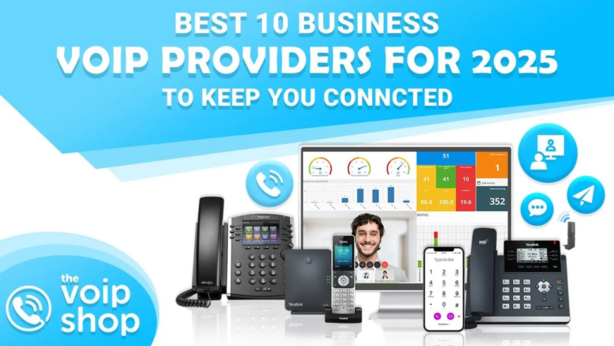
In 2025, Business Phone Systems (VoIP) are essential tools for companies that need reliable, scalable, and cost-effective communication solutions. VoIP (Voice over Internet Protocol) technology allows businesses to make phone calls over the internet, bypassing traditional phone lines. This enables organizations to enhance communication while reducing costs. With remote work and global teams becoming the norm, having a robust and flexible phone system has never been more critical.
When choosing a VoIP system, businesses must consider various factors such as call quality, ease of use, scalability, customer support, integrations, and pricing. Whether you run a small startup or a large enterprise, selecting the right Business Phone System (VoIP) tool can significantly improve team collaboration and customer engagement.
In this post, we’ll review the Top 10 Business Phone Systems (VoIP) Tools of 2025, providing you with a detailed comparison to help you make an informed decision for your business.
Top 10 Business Phone Systems (VoIP) Tools in 2025
1. RingCentral
Short Description:
RingCentral is a top-rated cloud-based VoIP system designed for businesses of all sizes. It offers a comprehensive set of features like video conferencing, team messaging, and mobile apps for seamless communication.
Key Features:
- Cloud-based call management and VoIP calling
- Video conferencing and team messaging
- Unlimited calling in North America
- Advanced analytics and reporting tools
- Mobile and desktop apps for remote work
- Integrations with Salesforce, Microsoft Teams, and more
- 24/7 customer support
Pros:
- Easy-to-use interface
- Robust set of features
- High call quality with reliable uptime
Cons:
- Premium pricing
- Overwhelming for smaller teams with simpler needs
2. 8×8
Short Description:
8×8 is a versatile VoIP provider offering cloud communication solutions that include voice, video, chat, and contact center services, ideal for businesses that need a multi-functional tool.
Key Features:
- Cloud voice, video, and messaging
- Real-time analytics and reporting
- Global calling support
- Automatic call distribution
- Integrations with popular CRM systems like Salesforce
- Advanced call forwarding and routing
- AI-powered analytics for smarter decision-making
Pros:
- Comprehensive feature set for large teams
- Great for remote or hybrid teams
- Excellent customer service
Cons:
- Interface can be complex for new users
- Pricing can be high for small businesses
3. Nextiva
Short Description:
Nextiva is a business VoIP provider known for its ease of use and reliable performance. It offers advanced features that enhance both team communication and customer interactions.
Key Features:
- VoIP calling, video conferencing, and messaging
- Cloud-based call management
- Built-in CRM and sales tools
- Auto attendant and voicemail-to-email
- Unlimited calling in the U.S. and Canada
- AI-powered analytics and reporting tools
- 24/7 customer support
Pros:
- User-friendly interface
- Excellent uptime and call quality
- Integrates with multiple third-party apps
Cons:
- Limited international calling options
- May be expensive for small businesses
4. Grasshopper
Short Description:
Grasshopper is a simple and affordable VoIP system for small businesses, offering a professional phone system without the complexity of enterprise-level solutions.
Key Features:
- Virtual phone number with call forwarding
- Voicemail-to-email and call routing
- Customizable extensions and menus
- Unlimited call handling
- Mobile and desktop apps for flexibility
- Easy setup without complex installations
Pros:
- Affordable pricing for small businesses
- Simple setup and user interface
- Perfect for entrepreneurs and small teams
Cons:
- Lacks advanced features for larger businesses
- Limited integrations with other software
5. Vonage Business Communications
Short Description:
Vonage provides VoIP phone services that cater to businesses looking for advanced call management tools, ideal for both small teams and large enterprises.
Key Features:
- VoIP calling, video conferencing, and messaging
- Call forwarding and call routing
- Mobile and desktop apps for communication on-the-go
- Integrations with Microsoft Teams and other platforms
- International calling at competitive rates
- Advanced call center and analytics features
Pros:
- Flexible plans for businesses of all sizes
- Excellent voice quality
- Great international coverage
Cons:
- Customer support can be slow at times
- Pricing may be higher than competitors for certain features
6. Ooma Office
Short Description:
Ooma Office is an affordable and easy-to-use VoIP system with essential features that cater to small businesses and startups, offering high-quality voice and video services.
Key Features:
- VoIP calling, video conferencing, and team messaging
- Virtual receptionist and call blocking
- Mobile app for call management
- Customizable call forwarding and extensions
- Integration with Google G Suite and Microsoft 365
- Call analytics and reporting tools
Pros:
- Affordable pricing with scalable plans
- Easy setup with minimal tech knowledge
- Strong call quality
Cons:
- Lacks some advanced features needed by larger businesses
- Limited third-party integrations
7. Zoom Phone
Short Description:
Zoom, best known for its video conferencing, also offers an exceptional VoIP phone system that integrates seamlessly with its other products to deliver unified communications.
Key Features:
- VoIP calling and video conferencing
- Team messaging and collaboration tools
- Call center management and reporting tools
- Integration with Zoom meetings and webinars
- Mobile and desktop apps for call management
- Advanced call routing and voicemail features
Pros:
- Great for businesses already using Zoom for meetings
- Excellent call quality and reliability
- Affordable plans for small to medium-sized businesses
Cons:
- Lacks some advanced enterprise features
- Limited international coverage
8. Freshcaller
Short Description:
Freshcaller is a cloud-based phone system for teams that focuses on delivering a smooth customer service experience with smart call routing and automated call management.
Key Features:
- VoIP calling and call routing
- Customizable IVR (Interactive Voice Response)
- Real-time call analytics and reporting
- Team collaboration features like tagging and notes
- Mobile apps for managing calls remotely
- Multi-level call queues and priority handling
Pros:
- Perfect for customer service-oriented businesses
- Affordable and easy to use
- Excellent reporting and analytics features
Cons:
- Limited integrations with non-Freshworks products
- Lacks some features for larger businesses
9. Dialpad
Short Description:
Dialpad provides a business phone system that is optimized for both voice and video communication. It offers advanced AI features to help teams work smarter and more efficiently.
Key Features:
- AI-powered transcription and call analytics
- VoIP calling and video conferencing
- Integrations with Google Workspace, Microsoft Teams, and more
- Customizable call forwarding and voicemail
- Mobile app for remote work
- Real-time collaboration with team messaging
Pros:
- AI-powered features that improve productivity
- Great for businesses that rely on remote work
- Easy-to-use mobile app for managing calls on-the-go
Cons:
- Can be pricey for smaller teams
- Limited international calling plans
10. Phone.com
Short Description:
Phone.com is a business VoIP service with flexible plans and robust features suitable for small and medium-sized businesses that need affordable communication solutions.
Key Features:
- VoIP calling and voicemail management
- Call forwarding and customizable greetings
- Call reporting and analytics tools
- Easy-to-use mobile and desktop apps
- Integration with CRM systems like Salesforce
- Flexible pricing plans
Pros:
- Customizable plans to suit small businesses
- Simple interface and setup
- Affordable pricing options
Cons:
- Lacks advanced features needed by larger organizations
- Limited customer support during peak hours
Comparison Table
| Tool Name | Best For | Platforms Supported | Standout Feature | Pricing | G2/Capterra/Trustpilot Rating |
|---|---|---|---|---|---|
| RingCentral | Large enterprises | Web, iOS, Android | Video conferencing & messaging | Starts at $19.99/user/month | 4.5/5 on Capterra |
| 8×8 | Medium to large businesses | Web, iOS, Android | Advanced call analytics | Starts at $12.99/user/month | 4.4/5 on Capterra |
| Nextiva | Small to medium businesses | Web, iOS, Android | Integrated CRM features | Starts at $18.95/user/month | 4.6/5 on Trustpilot |
| Grasshopper | Entrepreneurs & small teams | Web, iOS, Android | Virtual phone numbers | Starts at $29.99/month | 4.3/5 on Capterra |
| Vonage | Mid-sized businesses | Web, iOS, Android | Global coverage | Starts at $19.99/user/month | 4.2/5 on Trustpilot |
| Ooma Office | Small businesses | Web, iOS, Android | Easy setup & affordability | Starts at $19.95/month | 4.0/5 on Capterra |
| Zoom Phone | Businesses using Zoom already | Web, iOS, Android | Seamless integration with Zoom | Starts at $10/user/month | 4.7/5 on Trustpilot |
| Freshcaller | Customer service teams | Web, iOS, Android | Real-time analytics | Starts at $15/user/month | 4.3/5 on Capterra |
| Dialpad | Remote teams | Web, iOS, Android | AI-powered call analytics | Starts at $15/user/month | 4.4/5 on Trustpilot |
| Phone.com | Small to medium businesses | Web, iOS, Android | Customizable plans | Starts at $12.99/user/month | 4.1/5 on Capterra |
Which Business Phone Systems (VoIP) Tool is Right for You?
Decision-Making Guide:
- For small businesses: Grasshopper or Ooma Office are excellent choices due to their affordability and ease of use.
- For medium-sized businesses: Vonage or 8×8 offer great scalability and advanced features.
- For large enterprises: RingCentral or Nextiva are best for companies needing extensive features like CRM integration, video conferencing, and analytics.
Conclusion
As businesses continue to evolve in 2025, having the right Business Phone System (VoIP) tool is crucial. These systems are no longer just about voice calls but offer a complete suite of communication and collaboration features that can boost productivity and enhance customer experiences. Be sure to evaluate each tool’s pricing, features, and compatibility with your business size and needs before making a final choice.
With VoIP, you can future-proof your business communication strategy, ensuring your team stays connected and your operations run smoothly.
FAQs
1. What is VoIP?
VoIP (Voice over Internet Protocol) allows you to make voice calls using the internet instead of traditional phone lines.
2. Which Business Phone System (VoIP) is best for small businesses?
Grasshopper and Ooma Office are highly recommended for small businesses due to their ease of use and affordability.
3. Can I use a VoIP system for video calls?
Yes, most VoIP systems, such as RingCentral, Zoom, and Nextiva, offer video calling features.
4. Are Business Phone Systems (VoIP) tools secure?
Yes, most VoIP providers offer encryption and other security features to ensure your calls are protected.
5. Can I integrate VoIP with my CRM?
Yes, tools like Nextiva and Vonage offer integrations with popular CRM systems like Salesforce.