MOTOSHARE 🚗🏍️
Turning Idle Vehicles into Shared Rides & Earnings
From Idle to Income. From Parked to Purpose.
Earn by Sharing, Ride by Renting.
Where Owners Earn, Riders Move.
Owners Earn. Riders Move. Motoshare Connects.
With Motoshare, every parked vehicle finds a purpose.
Owners earn. Renters ride.
🚀 Everyone wins.
Introduction
In the fast-evolving world of digital media, 3D animation has become an essential tool for creators across industries. Whether it’s for gaming, movies, virtual reality, advertising, or product visualization, 3D animation enables a level of creativity and realism that 2D designs simply can’t match. With the increasing demand for lifelike and immersive experiences, the need for powerful 3D animation software has never been more significant in 2025.
Choosing the right 3D animation software is crucial for both beginners and professionals. While there is a variety of tools available, each software comes with its strengths, weaknesses, and unique features tailored for specific needs. Whether you’re looking for tools for modeling, rendering, rigging, or animation, understanding what features are important for your projects will help you make the right choice.
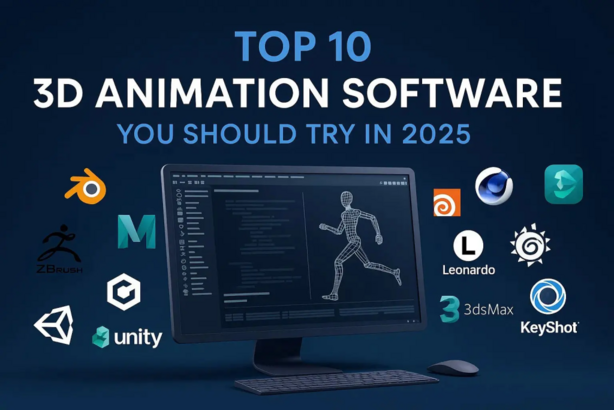
In this article, we’ll look at the Top 10 3D Animation Software Tools in 2025, detailing their features, pros, cons, and help you compare these tools to find the best fit for your creative endeavors.
Top 10 3D Animation Software Tools (for 2025)
1. Autodesk Maya

Short Description:
Autodesk Maya is one of the most powerful and widely-used 3D animation tools available. Designed for professional animators and 3D artists, it offers comprehensive features for modeling, rendering, and animation.
Key Features:
- Advanced polygon modeling tools
- High-quality rendering with Arnold Renderer
- Rigging and skinning tools for character animation
- Supports both 3D and 2D workflows
- Extensive plug-ins and customizations available
- Robust scripting with Python and MEL
Pros:
- Industry-standard for animation and visual effects
- Excellent for complex character rigging and animation
- High compatibility with other Autodesk software
Cons:
- Expensive, especially for freelancers or smaller studios
- Steep learning curve for beginners
- Requires a high-end system for smooth performance
2. Blender

Short Description:
Blender is an open-source, free 3D animation software that is suitable for everything from modeling and rigging to texturing, rendering, and animation. It is highly favored by both amateurs and professionals due to its versatility and zero cost.
Key Features:
- Fully integrated with 3D modeling, rigging, and texturing tools
- Powerful rendering capabilities with Cycles and Eevee
- Python scripting for custom tools
- Real-time 3D viewport for immediate feedback
- Large community and an abundance of tutorials
Pros:
- Free and open-source software
- Cross-platform (Windows, macOS, Linux)
- Extensive community support and plugins
Cons:
- Complex interface for new users
- Limited by hardware capabilities for larger scenes
- Not as powerful as paid solutions like Maya for larger projects
3. Cinema 4D
Short Description:
Cinema 4D is known for its ease of use and powerful tools for motion graphics, animation, and visual effects. It’s ideal for both professionals and beginners in the animation industry.
Key Features:
- Intuitive and easy-to-learn interface
- Excellent for motion graphics and typography animation
- Real-time rendering with Redshift
- Advanced character animation tools
- Supports VFX and AR/VR content creation
Pros:
- Fast rendering times with Redshift integration
- User-friendly for motion graphics designers
- High-quality output with minimal learning curve
Cons:
- Expensive for hobbyists or small studios
- Less powerful for complex character animation compared to Maya
- Limited third-party plugin ecosystem compared to Blender
4. 3ds Max
Short Description:
Another product from Autodesk, 3ds Max is ideal for 3D modeling and animation for game development and architectural visualization, offering intuitive features and high-level customization.
Key Features:
- Excellent modeling and texturing tools
- Best for architectural and game design
- Integrated with Arnold and V-Ray for high-end rendering
- Powerful particle system for simulations
- Customizable UI for personalized workflows
Pros:
- Extensive modeling tools for beginners to advanced users
- Widely used in game and architectural visualization
- Good for quick prototyping and iterative design
Cons:
- Limited support for character animation compared to Maya
- Requires high computing power for large scenes
- Subscription-based pricing can be costly
5. Houdini

Short Description:
Houdini by SideFX is one of the most powerful tools for 3D animation, known for its node-based procedural workflow. It’s perfect for complex simulations and VFX-heavy animations.
Key Features:
- Procedural node-based workflow for full control over animation
- Strong integration with simulation tools (fluid, smoke, fire, etc.)
- Advanced particle and cloth simulation
- Built-in scripting for custom effects
- High-quality rendering with Mantra
Pros:
- Great for creating VFX and simulations
- Flexible and scalable for complex workflows
- Strong integration with other software for pipeline efficiency
Cons:
- Steep learning curve for newcomers
- Expensive for small teams or freelancers
- Can be overkill for simpler animations
6. ZBrush
Short Description:
ZBrush by Pixologic is primarily focused on sculpting highly detailed characters and assets, making it a favorite among character modelers and digital sculptors.
Key Features:
- Advanced digital sculpting tools
- Dynamic subdivision and detailing for fine textures
- Polygroups for fast editing and detailing
- Seamless integration with other 3D software
- Best used in character design and organic modeling
Pros:
- Ideal for high-resolution sculpting and detailing
- Extensive community and learning resources
- Powerful brush system for sculpting
Cons:
- Not a full animation solution, lacks rigging tools
- Can be complex for beginners to grasp
- Limited rendering tools compared to other software like Maya or Blender
7. Unreal Engine

Short Description:
Unreal Engine by Epic Games is widely used for game development but has become increasingly popular for 3D animation and virtual production, offering high-quality rendering and interactive capabilities.
Key Features:
- Real-time rendering for animations and cinematic sequences
- Virtual production capabilities for film and TV
- Integration with motion capture and real-time editing
- Full access to Unreal Marketplace for assets
- Open-source with full access to the source code
Pros:
- Cutting-edge real-time rendering for animation and game design
- Free for non-commercial use
- Excellent for interactive content, AR, and VR
Cons:
- Can be overwhelming for beginners without prior experience
- Less user-friendly for traditional animation workflows
- Requires a powerful machine to render high-quality scenes
8. Maya LT

Short Description:
Maya LT is a scaled-down version of Autodesk Maya, designed specifically for indie game developers and small studios. It offers many of the same powerful tools, but at a lower price point.
Key Features:
- Powerful 3D modeling and texturing tools
- Supports game asset creation workflows
- Character rigging and animation tools for games
- Real-time viewport for quick scene feedback
- Optimized for game engine integration
Pros:
- More affordable than the full Maya version
- Ideal for game asset creation and animation
- Excellent for indie developers and small studios
Cons:
- Limited features compared to full Maya
- No support for advanced rendering or VFX
- Requires a game engine like Unreal or Unity for full use
9. LightWave 3D

Short Description:
LightWave 3D is known for its powerful rendering engine and intuitive user interface. It is used by professionals for visual effects, TV production, and animation.
Key Features:
- Award-winning rendering technology
- Robust character animation tools
- Built-in compositing for post-production
- Great for 3D modeling and visual effects
- Includes procedural textures for realistic simulations
Pros:
- Excellent rendering capabilities with high-quality results
- Strong character animation and modeling features
- Easy-to-learn interface for beginners
Cons:
- Smaller user base compared to other software like Maya or Blender
- Limited third-party plugin support
- Not ideal for heavy VFX workflows
10. SketchUp

Short Description:
SketchUp is an intuitive 3D design software known for architectural modeling. While not typically used for character animation, it’s great for basic 3D modeling and visualization.
Key Features:
- Easy-to-use interface for quick 3D modeling
- Large repository of 3D models and materials
- Powerful extensions for additional functionality
- Ideal for architecture and interior design
- Supports integration with VR and AR applications
Pros:
- Very beginner-friendly and easy to pick up
- Affordable pricing for personal use
- Excellent for architectural and product visualization
Cons:
- Limited animation and rigging features
- Lacks advanced rendering capabilities
- Not suited for complex character animation
Comparison Table
| Tool Name | Best For | Platform(s) Supported | Standout Feature | Pricing | Rating |
|---|---|---|---|---|---|
| Autodesk Maya | Professional animators | Windows, macOS | Advanced character rigging & animation | Starts at $215/month | 4.5/5 |
| Blender | Independent artists & studios | Windows, macOS, Linux | Free and open-source software | Free | 4.8/5 |
| Cinema 4D | Motion graphics artists | Windows, macOS | Speed and ease for motion graphics | Starts at $999/year | 4.7/5 |
| 3ds Max | Game & architectural designers | Windows | Best for modeling and texturing | Starts at $215/month | 4.6/5 |
| Houdini | VFX artists & simulations | Windows, macOS, Linux | Procedural workflow for complex effects | Starts at $229/month | 4.4/5 |
| ZBrush | Character designers | Windows, macOS | Powerful sculpting tools | Starts at $895 (one-time) | 4.6/5 |
| Unreal Engine | Game developers & film studios | Windows, macOS | Real-time rendering & interactive content | Free (with royalty) | 4.8/5 |
| Maya LT | Indie game developers | Windows, macOS | Affordable game asset creation | Starts at $35/month | 4.3/5 |
| LightWave 3D | TV production & VFX artists | Windows, macOS | Award-winning rendering technology | Starts at $795 (one-time) | 4.2/5 |
| SketchUp | Architects & designers | Windows, macOS | Easy-to-use for quick 3D modeling | Starts at $119/year | 4.1/5 |
Which 3D Animation Software Tool is Right for You?
When choosing the right 3D animation software, consider factors like your experience level, the type of projects you’ll be working on, and your budget.
- For Beginners: Blender and SketchUp offer user-friendly interfaces and are free to use, making them great choices for those just starting out.
- For Professionals: Autodesk Maya and Houdini provide powerful tools for complex animations and VFX, but they come with a higher price tag.
- For Motion Graphics: Cinema 4D is perfect for motion graphics artists, offering fast rendering and ease of use.
- For Game Development: 3ds Max and Maya LT are ideal choices for game asset creation, with tools geared specifically toward modeling and rigging for games.
Conclusion
As 3D animation continues to evolve, the software tools that support it are becoming more powerful, affordable, and accessible. Whether you’re an independent artist, a professional animator, or a small studio, there’s a tool out there for you. Each software has its unique strengths, making it important to assess your specific needs before making a decision.
We encourage you to explore the available demos or free trials of these tools to see which one best fits your creative vision.
FAQs
1. What is the best 3D animation software for beginners?
Blender and SketchUp are both excellent choices for beginners. Blender is free and open-source, while SketchUp is intuitive and ideal for basic 3D modeling.
2. Is Autodesk Maya worth the cost?
For professional animators and studios working on high-end projects, Autodesk Maya is worth the investment. It offers a comprehensive set of tools for complex animations, modeling, and rendering.
3. Can I use these tools for game development?
Yes, tools like 3ds Max, Maya LT, and Unreal Engine are great for game development, offering robust features for modeling, rigging, and real-time rendering.
4. Are there free alternatives to premium 3D animation software?
Blender is a fantastic free alternative to paid software like Autodesk Maya and Cinema 4D. It provides powerful modeling, rendering, and animation tools.
5. What is the most affordable 3D animation software?
Blender is completely free, while SketchUp offers an affordable subscription model for users who want additional features.