MOTOSHARE 🚗🏍️
Turning Idle Vehicles into Shared Rides & Earnings
From Idle to Income. From Parked to Purpose.
Earn by Sharing, Ride by Renting.
Where Owners Earn, Riders Move.
Owners Earn. Riders Move. Motoshare Connects.
With Motoshare, every parked vehicle finds a purpose.
Owners earn. Renters ride.
🚀 Everyone wins.
Make an image folder inside an assets folder, and if necessary, generate assets.
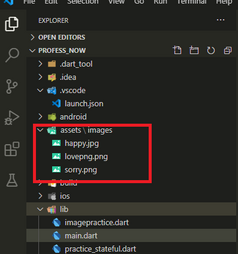
Flutter Image_directory
This should be in your root folder, and you can also find a pubspec.yaml file there.

pubspec.yaml
In order to update some lines in this file, open it in your vscode editor and make the necessary modifications.
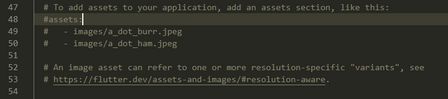
To this
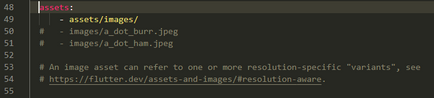
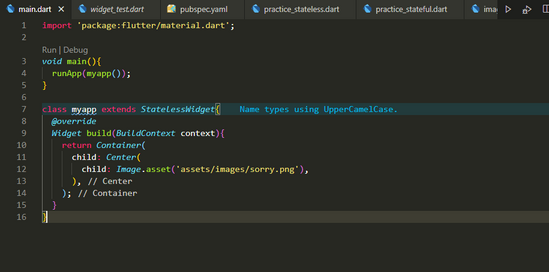
after this just use your images in your code after including child image function.