MOTOSHARE 🚗🏍️
Turning Idle Vehicles into Shared Rides & Earnings
From Idle to Income. From Parked to Purpose.
Earn by Sharing, Ride by Renting.
Where Owners Earn, Riders Move.
Owners Earn. Riders Move. Motoshare Connects.
With Motoshare, every parked vehicle finds a purpose.
Owners earn. Renters ride.
🚀 Everyone wins.
Error:

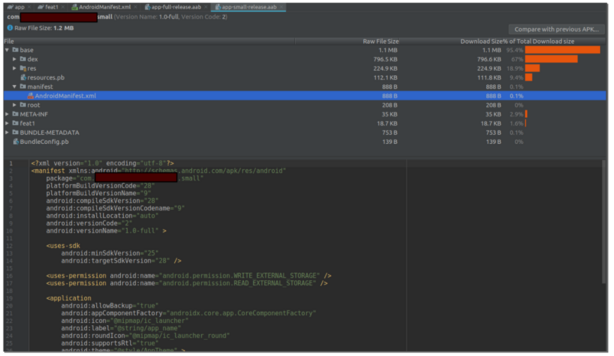
Solution
You will need to change your Application Id in your Build.Gradle(Module: app)
You may also need to change the name in your google-services.json file under this section:
<manifest xmlns:android="http://schemas.android.com/apk/res/android"
    package="com.example.my_hospital_now_hospital">
    <uses-permission android:name="android.permission.INTERNET"/>
   <application
        android:label="My Hospital Now Hospital"
        android:usesCleartextTraffic="true"
        android:name="${applicationName}"
        android:icon="@mipmap/launcher_icon">
        <activity
            android:name=".MainActivity"
            android:exported="true"
            android:launchMode="singleTop"
            android:theme="@style/LaunchTheme"
            android:configChanges="orientation|keyboardHidden|keyboard|screenSize|smallestScreenSize|locale|layoutDirection|fontScale|screenLayout|density|uiMode"
            android:hardwareAccelerated="true"
            android:windowSoftInputMode="adjustResize">
            <!-- Specifies an Android theme to apply to this Activity as soon as
                 the Android process has started. This theme is visible to the user
                 while the Flutter UI initializes. After that, this theme continues
                 to determine the Window background behind the Flutter UI. -->
            <meta-data
              android:name="io.flutter.embedding.android.NormalTheme"
              android:resource="@style/NormalTheme"
              />
            <intent-filter>
                <action android:name="android.intent.action.MAIN"/>
                <category android:name="android.intent.category.LAUNCHER"/>
            </intent-filter>
        </activity>
        <!-- Don't delete the meta-data below.
             This is used by the Flutter tool to generate GeneratedPluginRegistrant.java -->
        <meta-data
            android:name="flutterEmbedding"
            android:value="2" />
    </application>
</manifest>Code language: HTML, XML (xml)
change the applicationId in android/app/build.gradle to the same id of the previos versions.
defaultConfig {
    applicationId "com.xxxxxxx.xxxx"
    minSdkVersion rootProject.ext.minSdkVersion
    targetSdkVersion rootProject.ext.targetSdkVersion
    versionCode 12
    versionName "3.2.0"
    multiDexEnabled true
    vectorDrawables.useSupportLibrary = true
    targetSdkVersion 30
    missingDimensionStrategy 'react-native-camera', 'general'
}Code language: JavaScript (javascript)