MOTOSHARE 🚗🏍️
Turning Idle Vehicles into Shared Rides & Earnings
From Idle to Income. From Parked to Purpose.
Earn by Sharing, Ride by Renting.
Where Owners Earn, Riders Move.
Owners Earn. Riders Move. Motoshare Connects.
With Motoshare, every parked vehicle finds a purpose.
Owners earn. Renters ride.
🚀 Everyone wins.
To create a virtual host for a Laravel project on Xappp in Windows 10, two changes must be made. Simply take the following actions:
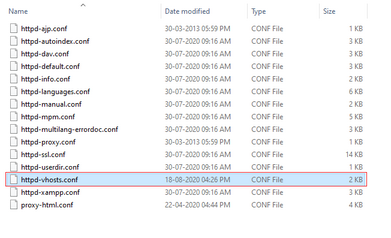
Step 1: Open the httpd-vhosts.conf file in the xamppapacheconfextra directory. See the Image Below:
Step 2: Simply copy and paste the code below, making sure to include the URL for your project directory and to include the word “public” if your Laravel project is running on a public folder.
DocumentRoot.
<VirtualHost *:80>

    DocumentRoot "C:/xampp/htdocs/bheekho"
    ServerName bheekho.com

</VirtualHost>Code language: HTML, XML (xml)
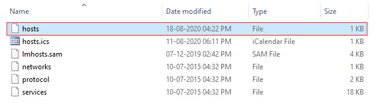
Step 3:- Now, go to C:\Windows\System32\drivers\etc and open host file. See the Below Image:-
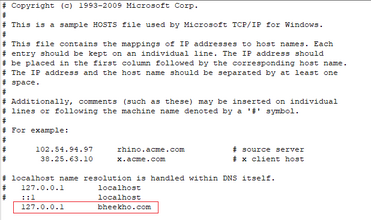
Step 4:- Now Open and edit the hosts file and write your url of the project where mine is, as seen below image:-