MOTOSHARE 🚗🏍️
Turning Idle Vehicles into Shared Rides & Earnings
From Idle to Income. From Parked to Purpose.
Earn by Sharing, Ride by Renting.
Where Owners Earn, Riders Move.
Owners Earn. Riders Move. Motoshare Connects.
With Motoshare, every parked vehicle finds a purpose.
Owners earn. Renters ride.
🚀 Everyone wins.
When I try to start my xampp in the server I found these errors:
sudo /opt/lampp/lampp restart
Starting XAMPP for Linux 7.2.34-0…
XAMPP: Starting Apache…/opt/lampp/share/xampp/xampplib: line 22: netstat: command not found
/opt/lampp/share/xampp/xampplib: line 22: netstat: command not found
ok.
XAMPP: Starting MySQL…/opt/lampp/share/xampp/xampplib: line 22: netstat: command not found
ok.
XAMPP: Starting ProFTPD…/opt/lampp/share/xampp/xampplib: line 22: netstat: command not found
ok.
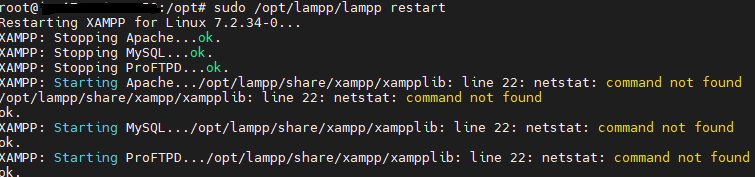
How can I solve this problem with xampplib and how can I get the xampp to work?
Solution
It seems that your xampp instance is complaining about a lack of netstat command.
netstat is a part of the net-tools package, so run this command to install netstat:
sudo apt install net-tools
Then try to start your xampp again, it should work now.
That’s all, I hope this article helps you to solve your problem.
Keep Exploring.
Thanks for reading.