MOTOSHARE 🚗🏍️
Turning Idle Vehicles into Shared Rides & Earnings
From Idle to Income. From Parked to Purpose.
Earn by Sharing, Ride by Renting.
Where Owners Earn, Riders Move.
Owners Earn. Riders Move. Motoshare Connects.
With Motoshare, every parked vehicle finds a purpose.
Owners earn. Renters ride.
🚀 Everyone wins.
Make sure you are in htdocs folder while executing the commands.
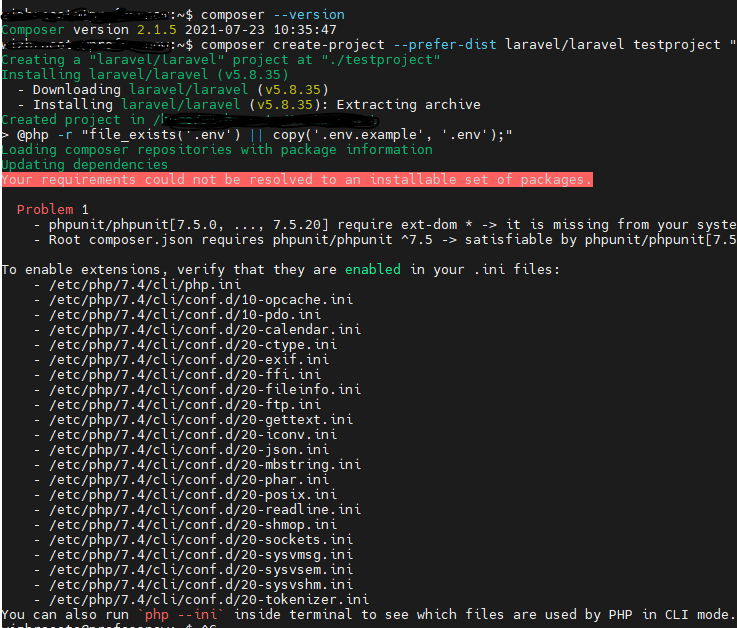
I was trying to install Laravel in a Ubuntu virtual machine and got this error
Your requirements could not be resolved to an installable set of packages. Problem 1 – phpunit/phpunit[7.5.0, …, 7.5.20] require ext-dom * -> it is missing from your system. Install or enable PHP’s dom extension. – Root composer.json requires phpunit/phpunit ^7.5 -> satisfiable by phpunit/phpunit[7.5.0, …, 7.5.20].And To enable extensions, verify that they are enabled in your .ini files:
But in your server you’re missing ext-dom. php-xml has all the related packages you need. So, you can simply install it by running:
sudo apt install php-xmlMost likely you are missing mbstring too. If you get the error, install this package as well with:
sudo apt-get install php-mbstringCode language: JavaScript (javascript)Then run:
composer update
composer require cviebrock/eloquent-sluggableCode language: JavaScript (javascript)