MOTOSHARE 🚗🏍️
Turning Idle Vehicles into Shared Rides & Earnings
From Idle to Income. From Parked to Purpose.
Earn by Sharing, Ride by Renting.
Where Owners Earn, Riders Move.
Owners Earn. Riders Move. Motoshare Connects.
With Motoshare, every parked vehicle finds a purpose.
Owners earn. Renters ride.
🚀 Everyone wins.
Introduction
Code review tools play a crucial role in the software development process, ensuring the quality, efficiency, and consistency of the code. As we progress through 2025, the demand for efficient code review tools has surged, driven by the increasing complexity of modern software and the need for fast, collaborative, and automated solutions. Code review is the process of systematically examining code to identify bugs, improve performance, ensure adherence to coding standards, and enhance security.
In 2025, the landscape of code review tools has evolved to meet the diverse needs of developers, from small startups to large enterprises. These tools help streamline collaboration, improve code quality, and reduce the risk of defects. When choosing a code review tool, developers and teams must consider factors such as integration with other tools, ease of use, customization options, and cost.
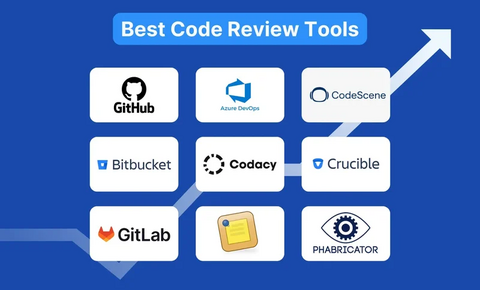
In this blog, we’ll explore the top 10 code review tools in 2025, highlighting their features, pros, cons, and the best use cases to help you make an informed decision.
Top 10 Code Review Tools in 2025
1. GitHub Pull Requests
Short Description: GitHub’s Pull Request feature allows teams to collaborate, review, and discuss code changes before merging them into the main codebase. It’s a widely adopted tool used by developers for version control.
Key Features:
- Seamless integration with Git repositories.
- Inline commenting and review functionalities.
- Automated checks with continuous integration (CI).
- Collaboration features with team discussions.
- Support for code owners for easier management.
Pros:
- Integrated into the most popular code hosting platform.
- Extensive community support and resources.
- Flexible, with many third-party integrations.
Cons:
- Limited customization options for certain features.
- Not ideal for teams using other version control systems like SVN.
2. Crucible (Atlassian)
Short Description: Crucible is a code review tool by Atlassian that integrates with Jira and Bitbucket. It focuses on providing comprehensive review features for enterprise-level projects.
Key Features:
- Detailed code review capabilities, including file comparison and inline commenting.
- Integration with Jira for easy project tracking.
- Supports multiple languages and frameworks.
- Customizable workflows.
- Code review reporting and analytics.
Pros:
- Deep integration with other Atlassian tools.
- Excellent for larger teams and projects.
- Provides a lot of customization options.
Cons:
- Pricing is on the higher side for smaller teams.
- Steeper learning curve for new users.
3. Phabricator
Short Description: Phabricator is an open-source suite of tools for peer code review, including features for code collaboration, code auditing, and project management.
Key Features:
- Supports multiple version control systems (Git, SVN, Mercurial).
- Advanced search and filter options.
- Customizable code review workflows.
- Built-in task management and bug tracking.
- Rich documentation and API for integration.
Pros:
- Free and open-source.
- High level of customization.
- Supports multiple version control systems.
Cons:
- Can be challenging to set up and manage.
- Interface can feel outdated compared to modern tools.
4. Gerrit
Short Description: Gerrit is a popular web-based code review tool for Git repositories. It allows developers to review code, track changes, and submit patches effectively.
Key Features:
- Seamless integration with Git.
- In-line code review and comment tracking.
- Automated verification through CI/CD pipelines.
- Advanced access control settings for security.
- Integrates with various third-party tools.
Pros:
- Provides a detailed audit trail.
- Strong integration with Git-based workflows.
- Great for open-source contributions and large teams.
Cons:
- Not as user-friendly as other tools.
- Limited to Git repositories.
5. Review Board
Short Description: Review Board is a powerful code review tool that supports various version control systems, including Git, SVN, and Perforce.
Key Features:
- Supports Git, SVN, and Mercurial repositories.
- Supports pre-commit and post-commit reviews.
- Automated diff generation and file comparison.
- Flexible comment and review options.
- Integrates with other project management tools.
Pros:
- Works with many version control systems.
- Easy to set up and use.
- Comprehensive review features.
Cons:
- Lacks some advanced features of enterprise-level tools.
- UI can be slow with large codebases.
6. Bitbucket Code Review
Short Description: Bitbucket is a Git repository management tool, and its built-in code review features allow developers to collaborate and track changes in their codebase efficiently.
Key Features:
- Inline commenting and pull request workflows.
- Integrated with Jira and other Atlassian tools.
- Supports branch permissions and code access control.
- Automated merging with smart suggestions.
Pros:
- Tight integration with other Atlassian tools.
- Simple to use and ideal for teams already using Bitbucket.
- Detailed pull request and merge management.
Cons:
- Limited support for other version control systems.
- Lacks advanced review features compared to competitors like Crucible.
7. GitLab Merge Requests
Short Description: GitLab’s merge request functionality offers a built-in code review system that supports collaborative reviews, comment threads, and CI integration.
Key Features:
- In-line code commenting and diff viewing.
- Integrates with GitLab CI/CD for automated checks.
- Supports multiple reviewers and approvers.
- Fully integrated within GitLab’s DevOps platform.
Pros:
- All-in-one DevOps platform.
- Efficient, with automatic CI checks.
- Seamless workflow for GitLab users.
Cons:
- Requires GitLab infrastructure for optimal use.
- Limited to users on the GitLab platform.
8. JetBrains Upsource
Short Description: JetBrains Upsource is a web-based code review tool with intelligent code insights and an integrated version control system.
Key Features:
- In-line commenting with context-aware analysis.
- Supports Git, Mercurial, Subversion, and Perforce.
- Works with JetBrains IDEs for a streamlined workflow.
- Supports multiple review modes (e.g., formal, informal).
- Detailed reporting for audit purposes.
Pros:
- Excellent for teams using JetBrains products.
- Detailed code insights and review features.
- High scalability for larger teams.
Cons:
- Requires JetBrains subscription.
- Can be overwhelming for small teams or projects.
9. CodeScene
Short Description: CodeScene is a unique tool that analyzes your codebase and provides insights into areas that need improvement, especially focusing on technical debt and code health.
Key Features:
- Codebase health analysis and technical debt reporting.
- Predicts future code maintenance issues.
- Visualizations of code complexity and hotspots.
- Supports Git-based workflows.
Pros:
- Unique focus on code health and technical debt.
- Excellent visualizations for understanding codebase quality.
- Great for long-term codebase maintenance.
Cons:
- Limited real-time collaboration features.
- Not a traditional review tool, but more of a code analysis platform.
10. Collaborator (SmartBear)
Short Description: Collaborator by SmartBear is a comprehensive peer code review tool for teams working with Git, SVN, and other version control systems.
Key Features:
- Supports multi-repository and multi-project reviews.
- Advanced comment and feedback management.
- Code quality reports and metrics.
- Customizable workflow and review templates.
Pros:
- Supports a wide range of version control systems.
- High level of customization and flexibility.
- Detailed reports and analytics.
Cons:
- Pricing is a concern for smaller teams.
- Steep learning curve for beginners.
Code Review Tools Comparison Table
| Tool Name | Best For | Platform(s) Supported | Standout Feature | Pricing | Rating (G2/Capterra) |
|---|---|---|---|---|---|
| GitHub Pull Requests | Small to medium teams | GitHub platform | Seamless Git integration | Free / Paid | 4.7 / 4.8 |
| Crucible | Large enterprises | Jira, Bitbucket | Deep Atlassian integration | Paid | 4.6 / 4.5 |
| Phabricator | Open-source projects | Web-based | Highly customizable | Free | 4.2 / 4.3 |
| Gerrit | Open-source & large teams | Git | Detailed audit trail | Free | 4.5 / 4.6 |
| Review Board | Teams using multiple VCS | Web-based | Multi-VCS support | Free / Paid | 4.3 / 4.4 |
| Bitbucket | Small teams | Bitbucket | Integrated pull requests | Free / Paid | 4.6 / 4.5 |
| GitLab | DevOps teams | GitLab | All-in-one DevOps platform | Free / Paid | 4.7 / 4.7 |
| Upsource | JetBrains IDE users | Web-based | IntelliJ integration | Paid | 4.4 / 4.5 |
| CodeScene | Code quality focus | Web-based | Technical debt insights | Paid | 4.2 / 4.3 |
| Collaborator | Large teams | Git, SVN, Mercurial | Multi-repository reviews | Paid | 4.6 / 4.7 |
Which Code Review Tool Is Right for You?
When choosing the right code review tool, consider the following:
- Team Size: Small teams might benefit from GitHub Pull Requests or Bitbucket, while large enterprises may require the power and flexibility of Crucible or Collaborator.
- Budget: If you’re looking for a free solution, GitHub Pull Requests, Phabricator, and Review Board are great choices. For larger organizations, investing in tools like Crucible or Upsource may provide the best value.
- Integration: Teams already using Atlassian tools should lean toward Crucible or Bitbucket, while GitLab users should consider GitLab’s built-in merge requests.
Conclusion
In 2025, code review tools have become indispensable in ensuring the quality and maintainability of code. By automating and streamlining the review process, these tools help teams catch bugs early, adhere to coding standards, and improve collaboration.
When selecting a code review tool, think about your team’s size, the version control system you use, and the specific features you need. Whether you’re a solo developer or part of a large enterprise, there’s a tool out there that fits your needs. Take advantage of free trials or demos to find the best tool for your team!
FAQs
1. What is a code review tool?
A code review tool helps developers collaborate on code changes, ensuring that the code is error-free, adheres to standards, and meets the project’s requirements.
2. Which code review tool is best for Git users?
GitHub Pull Requests, GitLab Merge Requests, and Gerrit are excellent choices for Git-based workflows.
3. Are there any free code review tools?
Yes, GitHub Pull Requests, Phabricator, and Review Board are free options with robust review features.
4. How can code review tools improve code quality?
By enabling systematic reviews, in-line comments, and automated checks, code review tools help identify bugs early and enforce coding best practices.
5. What’s the difference between GitLab and GitHub for code reviews?
While both offer code review features, GitLab is an all-in-one DevOps platform, while GitHub is more focused on version control and collaboration.