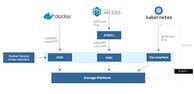
Container infrastructure is not self-healing after a disaster. Kubernetes and Docker will not rebuild themselves from nothing. While you do not need to snapshot the live running state of every container, you absolutely need to preserve the configuration, desired-state manifests, images, and persistent data that define your environment. This guide walks through each backup category and explains practical approaches for each.
What You Need to Back Up
Before diving into mechanics, here is a clear inventory of the components that require backup in a typical Kubernetes or Docker environment:
- Dockerfiles — the source definitions for your container images
- Docker images — the built artifacts used to run containers
- Kubernetes etcd database — the authoritative store of cluster state
- Kubernetes YAML manifests — deployment, service, configmap, and other resource definitions
- Persistent volumes — filesystem data created or modified by running containers
- Databases — application data stored in database engines running inside or alongside containers
Dockerfiles and Kubernetes YAML Manifests
Docker containers are run from images, and images are built from Dockerfiles. The single most important habit you can form is to store every Dockerfile and every Kubernetes YAML manifest in a version-controlled repository such as GitHub, GitLab, or Bitbucket. Do not create ad hoc containers from images built outside of a tracked Dockerfile. If you cannot reproduce an image from source, you have already lost part of your infrastructure.
Version control gives you the ability to roll back to a known-good Dockerfile or manifest if a bad change breaks a build or deployment. These repositories themselves must then be backed up. Git hosting platforms typically provide APIs that allow you to download repository archives programmatically, and third-party commercial tools exist to automate this for GitHub and similar services.
If you find yourself in the unfortunate situation of having running containers whose Dockerfiles no longer exist, you can partially reconstruct them. The docker image history <image> command shows the layer history of an image, and tools such as dfimage (also known as whaler) attempt to generate a Dockerfile from an existing image. These reconstructed files are approximations, not perfect originals, so treat this as an emergency recovery measure, not a workflow.
Docker Images
Built images should be stored in a container registry. Options include:
- Docker Hub — the public default registry
- Private Docker registry — a self-hosted registry using the official
registryimage - Cloud provider registries — such as Amazon ECR, Google Artifact Registry, or Azure Container Registry
If you are running Docker images in Kubernetes, you are already pulling from a registry, which means images are already stored outside the node. The registry itself still needs to be backed up or replicated. Most cloud-hosted registries offer built-in replication or export features.
If you need to capture an image from a running container that has no clean source, use docker commit <container_id> <new_image_name> to create an image snapshot, then push it to your registry. Again, this is a recovery technique, not a substitute for proper source control.
Kubernetes etcd
The etcd database is the heart of a Kubernetes cluster. It stores the desired state of all cluster objects — nodes, pods, services, configmaps, secrets, and more. Losing etcd without a backup means rebuilding your cluster from scratch.
The standard backup command uses the etcdctl CLI tool:
ETCDCTL_API=3 etcdctl snapshot save snapshot.db \
  --endpoints=https://127.0.0.1:2379 \
  --cacert=/etc/kubernetes/pki/etcd/ca.crt \
  --cert=/etc/kubernetes/pki/etcd/server.crt \
  --key=/etc/kubernetes/pki/etcd/server.keyCode language: JavaScript (javascript)
This creates a file named snapshot.db in the current directory. That file must then be copied to external, durable storage — do not leave it on the same host that runs etcd. Schedule this command to run regularly, and verify that your snapshots are restorable by periodically running etcdctl snapshot restore in a test environment. Refer to the official Kubernetes etcd backup documentation for recovery procedures specific to your cluster version.
If you use commercial backup software, one integration pattern is to trigger the snapshot save command as a pre-backup script, then back up the directory containing snapshot.db as part of your normal backup job.
Persistent Volumes
Containers can access persistent storage in several ways, each with different backup implications:
- Docker named volumes — managed by Docker and stored in a subdirectory of the Docker data root (typically
/var/lib/docker/volumes/) - Bind mounts — a host directory mounted directly into the container
- NFS mounts — a network filesystem mounted as a volume
- Object storage — cloud object storage (such as S3) mounted via a compatible driver
- Kubernetes PersistentVolumeClaims (PVCs) — abstractions backed by any of the above or by cloud block storage
The core challenge with backing up persistent volumes is consistency: if data is actively changing when the backup runs, you risk capturing a corrupted state. The simplest but most disruptive solution is to stop the containers using the volume before backing it up. For a named Docker volume, you can mount it into a temporary container that only performs a tar archive of the volume contents into a bind-mounted output directory, then back up that archive.
This approach is difficult to implement cleanly in Kubernetes, where stopping a workload may require scaling a deployment to zero replicas and coordinating the backup window carefully. For this reason, stateful data is generally better stored in a managed database than in a raw filesystem volume when running on Kubernetes. If you use NFS or cloud block storage as the backing store for your PVCs, you may be able to use storage-level snapshots, which are typically more consistent and less disruptive than file-level backups.
Databases Running in Containers
When containers use a database engine to store application data, the database must be backed up using a method that guarantees integrity. Filesystem-level backups of a live database directory are unreliable because the database engine may have data in memory that has not been flushed to disk, or may be mid-transaction.
The preferred approach is to use the database engine’s own dump or export utility:
- MySQL / MariaDB:
mysqldumpormysqlbackup - PostgreSQL:
pg_dumporpg_basebackup - MongoDB:
mongodump
If the database is running inside a container, you will need a writable volume (bind mount or named volume) that is accessible from outside the container, so the dump file can be written somewhere your backup system can reach it. You can then execute the dump command with docker exec:
docker exec <container_name> mysqldump -u root -p<password> --all-databases > /backup/dump.sqlCode language: HTML, XML (xml)In Kubernetes, you can use kubectl exec similarly, or use a sidecar container or CronJob that runs the dump on a schedule and writes output to a PVC or cloud storage bucket.
Discovering What Needs to Be Backed Up
If you are inheriting an environment and are not sure what storage each container uses, the following commands help you map it out:
# List all running containers
docker ps

# Inspect a specific container's mounts
docker inspect <container_id> | grep -A 20 '"Mounts"'Code language: PHP (php)
The Mounts section of the inspect output will show you both named volumes and bind mounts, including their host paths. In Kubernetes, review your YAML manifests for volumeMounts and volumes sections, or use kubectl describe pod <pod_name> to see what storage is attached to a running pod.
Commercial Backup Solutions
Several commercial and open-source tools are designed specifically for Kubernetes and container backup:
- Velero (originally Heptio Ark, now a VMware-sponsored open-source project) — backs up Kubernetes cluster resources and persistent volumes, and supports restore to the same or a different cluster
- Cohesity — offers data protection targeting Kubernetes namespaces
- Commvault — provides a virtual server agent that can act as a proxy for container and image backup
- Portworx — offers container-native storage for Kubernetes with built-in backup and disaster recovery capabilities
- Kasten K10 — a Kubernetes-native data management platform focused on backup and restore
Velero is a strong starting point for teams looking for an open-source, Kubernetes-native solution. It integrates with cloud provider storage for off-cluster backup storage and supports scheduled backup policies.
Summary: Backup Checklist for Kubernetes and Docker
- ✅ Store all Dockerfiles in a version-controlled repository and back up that repository
- ✅ Store all Kubernetes YAML manifests in version control and back them up
- ✅ Push all images to a registry and ensure the registry is backed up or replicated
- ✅ Run
etcdctl snapshot saveregularly and copy snapshots to external storage - ✅ Back up persistent volumes using storage-native snapshots where possible, or by quiescing containers and archiving volume data
- ✅ Back up databases using the database engine’s own export tools, not raw filesystem copies
- ✅ Audit running containers with
docker inspectorkubectl describeto confirm all storage is accounted for - ✅ Test restores regularly — a backup you have never restored is an assumption, not a guarantee
Container infrastructure introduces new wrinkles into backup strategy, but the fundamentals remain the same: know what you have, protect it consistently, store copies off-host, and verify that restores work before you need them in an emergency.