Introduction
Zero Trust Network Access is a secure way to connect users to private applications without putting them on the full corporate network. Instead of “trusting” someone because they are inside a VPN, ZTNA verifies identity, device posture, and context every time access is requested. Access is granted per application, not per network, and policies can change dynamically based on risk signals. This approach reduces lateral movement, limits blast radius, and supports remote, hybrid, and contractor-heavy workforces more safely.
Real-world use cases include: replacing or reducing legacy VPN for employee access, giving vendors controlled access to one internal app, enabling secure access to cloud and data center apps, supporting mergers with segmented access rules, and protecting admin tools with step-up checks. Buyers should evaluate policy depth, identity integration, device posture checks, app discovery and onboarding, connector architecture, performance and latency, high availability, logging and visibility, segmentation controls, user experience, and operational effort.
Best for: organizations modernizing remote access, protecting internal apps, and reducing VPN dependence while improving control and visibility.
Not ideal for: environments that only need basic site-to-site tunnels, or teams that cannot standardize identity and device management practices.
Key Trends in Zero Trust Network Access
- Moving from network-based trust to app-based trust with continuous verification
- Stronger device posture checks tied to endpoint management signals and risk scoring
- More granular policies based on user role, device health, location, and behavior
- Integrated secure access stacks that combine ZTNA with secure web gateway and cloud firewall patterns
- A bigger focus on visibility, auditability, and fast incident investigation
- Micro-segmentation becoming more practical through identity-centric access controls
- A shift from “one big remote tunnel” to “per-app connectivity” to reduce lateral movement
- Higher expectations for simple rollout, fast onboarding, and minimal user friction
How We Selected These Tools (Methodology)
- Selected widely adopted options with credible enterprise and mid-market usage
- Included a balanced mix: cloud-native platforms, security suite vendors, and simpler tools for lean teams
- Focused on core ZTNA capability: per-application access, identity-driven policy, and segmentation controls
- Considered operational factors: deployment effort, connector architecture, reliability patterns, and support maturity
- Considered ecosystem fit: identity providers, endpoint posture signals, logging, and API extensibility
- Looked for strong user experience under real conditions like roaming users and mixed networks
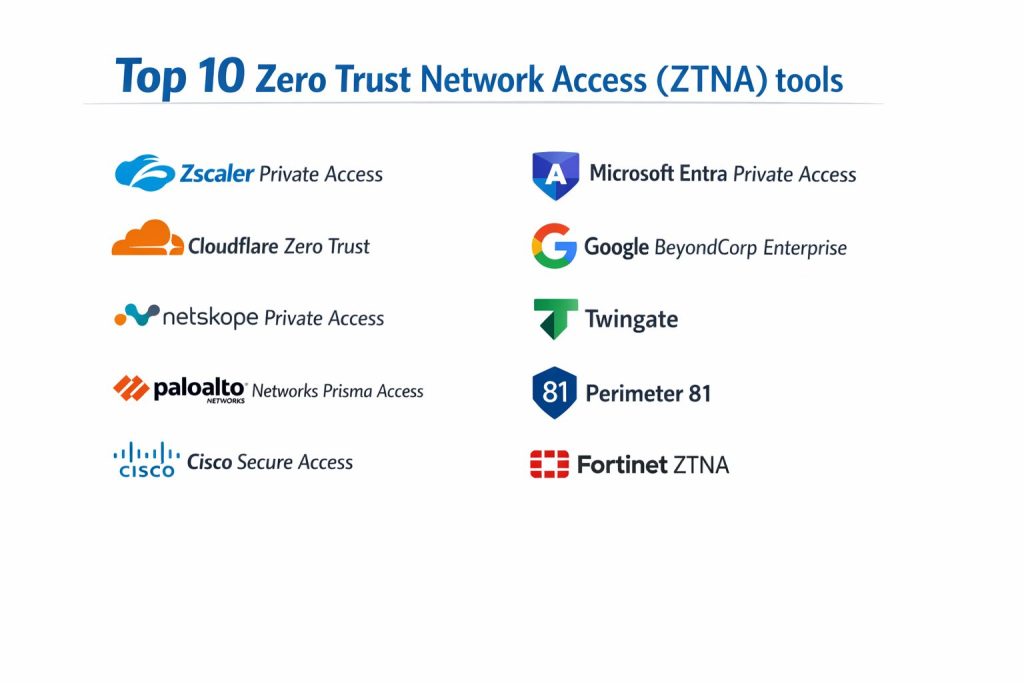
Top 10 Zero Trust Network Access Tools
1 — Zscaler Private Access
Zscaler Private Access is commonly used to provide secure, application-specific access to internal services without exposing the network. It is often chosen by teams that want strong policy control, broad coverage, and a cloud-delivered access layer.
Key Features
- Application-level access controls that reduce network exposure
- Policy enforcement tied to identity and context
- Support for hybrid apps across data center and cloud
- Segmentation-oriented access patterns to limit lateral movement
- Centralized visibility and access logging for audits
Pros
- Strong fit for large-scale remote access modernization
- Helps reduce reliance on traditional VPN patterns
Cons
- Planning and rollout can require careful policy design
- Operational complexity can rise in very large environments
Platforms / Deployment
Self-hosted connectors with cloud-delivered access control
Security and Compliance
Not publicly stated
Integrations and Ecosystem
Typically aligns with enterprise identity and endpoint posture approaches, and is commonly deployed alongside broader security visibility tooling.
- Identity provider integration patterns (varies by setup)
- Logging to SIEM tools (varies by environment)
- Policy automation options through APIs (varies)
Support and Community
Vendor support is structured and enterprise-oriented; community guidance varies.
2 — Cloudflare Zero Trust
Cloudflare Zero Trust is often used to protect access to private apps and to enforce identity-based controls for both internal and external access use cases. It can fit teams that want cloud-based connectivity with integrated policy enforcement.
Key Features
- Application access policies tied to identity and context
- Cloud-delivered enforcement with distributed edge presence
- Flexible rules for users, groups, and access conditions
- Visibility features for access requests and session activity
- Options to reduce exposure of internal services
Pros
- Can be fast to roll out for many common access patterns
- Useful for mixed environments with distributed users
Cons
- Deep enterprise segmentation patterns may require careful design
- Some advanced needs depend on surrounding architecture choices
Platforms / Deployment
Cloud-delivered with connectors or tunnels (varies by setup)
Security and Compliance
Not publicly stated
Integrations and Ecosystem
Commonly connects with identity, device posture signals, and logging workflows depending on organization maturity.
- Identity integration options (varies)
- API-based configuration and automation patterns (varies)
- Log export to security analytics systems (varies)
Support and Community
Strong documentation and broad user community; support tiers vary.
3 — Netskope Private Access
Netskope Private Access is often selected when organizations want ZTNA as part of a broader security platform approach. It commonly fits teams looking for consistent policy controls across users, apps, and cloud usage patterns.
Key Features
- Identity-based application access controls
- Policy enforcement aligned with security platform patterns
- Visibility into access events and user activity context
- Coverage for hybrid and cloud application access
- Controls designed to reduce exposure and lateral movement
Pros
- Strong fit when security teams want consolidated policy management
- Useful for organizations already standardizing on unified security controls
Cons
- Platform breadth can make initial configuration feel heavy
- Requires clarity on policy ownership between teams
Platforms / Deployment
Cloud-delivered with connectors (varies by setup)
Security and Compliance
Not publicly stated
Integrations and Ecosystem
Typically supports enterprise identity workflows and can align with centralized logging and policy automation.
- Identity and group mapping (varies)
- Logging export patterns (varies)
- API and integration options (varies)
Support and Community
Vendor-led enablement is common; community resources vary.
4 — Palo Alto Networks Prisma Access
Prisma Access is used by many organizations that want ZTNA capabilities within a broader secure access strategy. It often fits teams that need consistent policy enforcement and enterprise-grade reliability patterns.
Key Features
- Application-level access enforcement aligned with Zero Trust principles
- Policy controls tied to user identity and context signals
- Coverage across distributed users and hybrid apps
- Visibility for access events and policy outcomes
- Segmentation-oriented access to reduce unnecessary reachability
Pros
- Strong enterprise alignment and structured rollout support
- Often integrates well into standardized security operations
Cons
- Configuration depth can require experienced administrators
- Total cost may be higher depending on footprint
Platforms / Deployment
Cloud-delivered with connectors and gateways (varies by setup)
Security and Compliance
Not publicly stated
Integrations and Ecosystem
Often fits larger security ecosystems with centralized identity and logging practices.
- Identity integration patterns (varies)
- Log export and analytics integration (varies)
- Automation and policy sync options (varies)
Support and Community
Strong vendor support and training availability; community depth varies.
5 — Cisco Secure Access
Cisco Secure Access is commonly positioned for organizations that want identity-led access control and a structured approach to protecting private applications. It often fits teams already using Cisco-aligned identity and access patterns.
Key Features
- Identity-based access rules for private applications
- Policy enforcement aligned with Zero Trust access design
- Options to add step-up checks based on risk signals (varies)
- Visibility into access attempts and outcomes
- Controls that limit access scope to what is needed
Pros
- Familiar approach for organizations standardized on Cisco ecosystems
- Can support gradual transition away from VPN dependence
Cons
- Best experience often depends on ecosystem alignment choices
- Some advanced scenarios require careful design and integration effort
Platforms / Deployment
Cloud-delivered with connectors (varies by setup)
Security and Compliance
Not publicly stated
Integrations and Ecosystem
Often integrates with identity workflows and can align with enterprise access governance patterns.
- Identity provider and directory alignment (varies)
- Logging export options (varies)
- Policy integration with broader security stack (varies)
Support and Community
Mature vendor support; community resources vary by product footprint.
6 — Microsoft Entra Private Access
Microsoft Entra Private Access is often used by organizations that want ZTNA capabilities closely tied to identity, device posture, and access governance workflows. It can fit teams already investing in Microsoft identity and endpoint management patterns.
Key Features
- Application access policies anchored in identity controls
- Conditional access style patterns for risk-based decisions (varies)
- Alignment with device posture and endpoint signals (varies)
- Access visibility and policy reporting for audits
- Designed to limit access to specific apps rather than networks
Pros
- Strong fit for organizations standardized on Microsoft identity
- Useful for combining access control with governance practices
Cons
- Best results depend on how mature identity and device management is
- Some non-Microsoft ecosystems may require extra planning
Platforms / Deployment
Cloud-delivered with connectors (varies by setup)
Security and Compliance
Not publicly stated
Integrations and Ecosystem
Typically aligns with Microsoft identity, device posture signals, and security analytics patterns.
- Directory and group-based access mapping (varies)
- Log integration with security monitoring tools (varies)
- Automation patterns through APIs (varies)
Support and Community
Strong documentation and broad community; support depends on licensing and plan.
7 — Google BeyondCorp Enterprise
Google BeyondCorp Enterprise represents an identity-centric access approach for internal applications and services. It often fits organizations that want strong context-aware access and a consistent Zero Trust posture tied to identity signals.
Key Features
- Identity-first access to internal applications
- Context-aware policy decisions (device, user, and risk signals vary)
- Application-level protection without broad network exposure
- Access logging and policy evaluation visibility (varies)
- Designed around the principle of continuous verification
Pros
- Strong conceptual alignment with Zero Trust access models
- Useful for organizations standardizing on Google-aligned identity workflows
Cons
- Best fit depends on identity and device posture maturity
- Some enterprise needs require careful architecture planning
Platforms / Deployment
Cloud-delivered with connectors or gateways (varies by setup)
Security and Compliance
Not publicly stated
Integrations and Ecosystem
Commonly aligns with Google identity services and broader security monitoring patterns.
- Identity and group mapping (varies)
- Logging and analytics export (varies)
- Policy automation options (varies)
Support and Community
Vendor support options exist; community resources vary by adoption in your region.
8 — Twingate
Twingate is often chosen by teams that want a simpler ZTNA rollout and a modern replacement for VPN in many everyday access cases. It can be attractive for lean IT teams that want fast time-to-value.
Key Features
- Application-level access with identity-based policies
- Lightweight connectors for private resource access (varies)
- User-friendly onboarding for remote access use cases
- Policy controls that limit access scope per resource
- Visibility into access events (varies)
Pros
- Often easier to deploy for smaller teams and fast pilots
- Reduces user friction compared to traditional VPN for many scenarios
Cons
- Very large, complex enterprise segmentation may need deeper platforms
- Advanced governance workflows can require surrounding tooling
Platforms / Deployment
Cloud-delivered with connectors (varies by setup)
Security and Compliance
Not publicly stated
Integrations and Ecosystem
Often integrates with common identity providers and supports modern admin workflows.
- Identity integration patterns (varies)
- Administrative APIs (varies)
- Log export patterns (varies)
Support and Community
Documentation is typically strong; support tiers vary by plan.
9 — Perimeter 81
Perimeter 81 is often used by teams that want a practical secure access approach with simpler operations. It can be a fit for organizations that need structured access control without building a complex enterprise security program around it.
Key Features
- Application and resource access policies tied to identity
- Centralized control plane for access rules (varies)
- Options to support distributed users and offices (varies)
- Visibility and logging for access activity (varies)
- Policy-based access patterns that reduce broad network exposure
Pros
- Practical for mid-sized teams that want manageable complexity
- Often supports quick rollout and simple admin operations
Cons
- Advanced enterprise segmentation may be limited compared to larger platforms
- Some deeper integrations depend on plan and surrounding ecosystem
Platforms / Deployment
Cloud-delivered with gateways/connectors (varies by setup)
Security and Compliance
Not publicly stated
Integrations and Ecosystem
Often connects to identity and security monitoring workflows depending on organizational maturity.
- Identity mapping and group-based access (varies)
- Logging export patterns (varies)
- Administrative automation options (varies)
Support and Community
Support varies by plan; community depth depends on footprint.
10 — Fortinet ZTNA
Fortinet ZTNA is commonly used in environments already standardized on Fortinet networking and security infrastructure. It can fit teams that want ZTNA capabilities closely aligned with network security enforcement and endpoint posture signals.
Key Features
- Application access controls aligned with Zero Trust principles
- Policy enforcement tied to identity and device posture (varies)
- Integration patterns with security gateways (varies)
- Visibility and logging for access decisions (varies)
- Segmentation-style access to reduce unnecessary reachability
Pros
- Strong fit for Fortinet-standardized environments
- Useful when networking and security enforcement need to align tightly
Cons
- Best results often depend on ecosystem alignment
- Complex environments may require careful design and rollout planning
Platforms / Deployment
Hybrid patterns with on-prem and cloud components (varies by setup)
Security and Compliance
Not publicly stated
Integrations and Ecosystem
Often integrates into Fortinet security operations patterns and can support identity-driven policy enforcement.
- Identity and device posture integration (varies)
- Logging integration with security operations tooling (varies)
- API and automation patterns (varies)
Support and Community
Strong vendor support presence; community resources vary by region and footprint.
Comparison Table
| Tool Name | Best For | Platform(s) Supported | Deployment | Standout Feature | Public Rating |
|---|---|---|---|---|---|
| Zscaler Private Access | Large-scale ZTNA replacement for VPN | Varies / N/A | Hybrid (varies) | App-level access at scale | N/A |
| Cloudflare Zero Trust | Cloud-delivered access with distributed enforcement | Varies / N/A | Cloud (varies) | Edge-based policy enforcement | N/A |
| Netskope Private Access | ZTNA inside a broader security platform strategy | Varies / N/A | Cloud (varies) | Consolidated policy posture | N/A |
| Palo Alto Networks Prisma Access | Enterprise secure access with strong controls | Varies / N/A | Cloud (varies) | Structured enterprise rollout patterns | N/A |
| Cisco Secure Access | Identity-led private access in Cisco-aligned ecosystems | Varies / N/A | Cloud (varies) | Ecosystem-aligned access control | N/A |
| Microsoft Entra Private Access | Identity and device-driven private app access | Varies / N/A | Cloud (varies) | Identity-centric conditional access patterns | N/A |
| Google BeyondCorp Enterprise | Context-aware access for internal applications | Varies / N/A | Cloud (varies) | Continuous verification model | N/A |
| Twingate | Fast ZTNA rollout for lean teams | Varies / N/A | Cloud (varies) | Simple deployment and user experience | N/A |
| Perimeter 81 | Practical secure access with manageable operations | Varies / N/A | Cloud (varies) | Admin simplicity for mid-market | N/A |
| Fortinet ZTNA | Ecosystem-aligned ZTNA with network security fit | Varies / N/A | Hybrid (varies) | Tight alignment with security enforcement | N/A |
Evaluation and Scoring of Zero Trust Network Access Tools
Weights
Core features 25 percent
Ease of use 15 percent
Integrations and ecosystem 15 percent
Security and compliance 10 percent
Performance and reliability 10 percent
Support and community 10 percent
Price and value 15 percent
| Tool Name | Core | Ease | Integrations | Security | Performance | Support | Value | Weighted Total |
|---|---|---|---|---|---|---|---|---|
| Zscaler Private Access | 9.0 | 7.5 | 8.5 | 7.5 | 8.5 | 8.0 | 6.5 | 8.02 |
| Cloudflare Zero Trust | 8.5 | 8.0 | 8.0 | 7.0 | 8.5 | 8.0 | 8.0 | 8.15 |
| Netskope Private Access | 8.5 | 7.5 | 8.5 | 7.5 | 8.0 | 7.5 | 6.5 | 7.80 |
| Palo Alto Networks Prisma Access | 9.0 | 7.0 | 8.5 | 7.5 | 8.5 | 8.0 | 6.0 | 7.88 |
| Cisco Secure Access | 8.0 | 7.5 | 8.0 | 7.0 | 8.0 | 7.5 | 6.5 | 7.55 |
| Microsoft Entra Private Access | 8.5 | 8.0 | 8.5 | 7.5 | 8.0 | 8.0 | 7.5 | 8.13 |
| Google BeyondCorp Enterprise | 8.0 | 7.5 | 7.5 | 7.0 | 8.0 | 7.5 | 7.0 | 7.55 |
| Twingate | 7.5 | 8.5 | 7.0 | 6.5 | 7.5 | 7.0 | 8.0 | 7.63 |
| Perimeter 81 | 7.5 | 8.0 | 7.0 | 6.5 | 7.5 | 7.0 | 7.5 | 7.40 |
| Fortinet ZTNA | 8.0 | 7.0 | 8.0 | 7.0 | 8.0 | 7.5 | 7.0 | 7.58 |
How to interpret the scores
These scores are comparative and designed to support shortlisting, not to declare a universal winner. A slightly lower total can still be the best pick if it matches your identity stack, device posture maturity, and rollout approach. Core and integrations usually determine long-term fit, while ease of use affects adoption speed. Security scoring here reflects policy capability and operational control patterns, not published certifications. Use this table to narrow options, then validate through a controlled pilot using real apps and real user groups.
Which Zero Trust Network Access Tool Is Right for You
Solo or Freelancer
ZTNA is usually an organization-level requirement, but small teams still benefit when contractors and remote work are common. Twingate and Perimeter 81 are often easier starting points for lean setups. If your environment is simple and you want quick rollout, prioritize ease and basic posture rules.
SMB
SMBs often need predictable access control without heavy operational overhead. Cloudflare Zero Trust, Twingate, and Perimeter 81 can be practical options depending on your identity provider and how your apps are hosted. Focus on app onboarding speed, user experience, and clean policy ownership.
Mid-Market
Mid-market teams typically have more apps, more roles, and more audit needs. Microsoft Entra Private Access is a strong fit when identity and device posture are mature. Netskope Private Access can fit when you want broader security platform alignment. Cloudflare Zero Trust can also work well if distributed enforcement and straightforward rollout are priorities.
Enterprise
Enterprises tend to value segmentation, high availability, visibility, and consistent policy governance. Zscaler Private Access and Palo Alto Networks Prisma Access are common patterns for large-scale deployments. Fortinet ZTNA and Cisco Secure Access can be strong when ecosystem alignment is a strategic requirement. Choose based on connector architecture, scale patterns, and operational readiness.
Budget vs Premium
If budget is tight, prioritize tools that reduce operational burden and support fast rollout. Premium options can pay off when they reduce risk at scale and provide stronger governance. Your best value often depends on how much of the platform you will actually operationalize.
Feature Depth vs Ease of Use
Deep policy and segmentation capabilities help large teams, but they can slow onboarding if governance is unclear. Ease-focused tools speed adoption but may require careful design to avoid policy sprawl. Pick the level of complexity your team can run consistently.
Integrations and Scalability
If your identity stack is strong, pick the tool that integrates cleanly with groups, conditional access patterns, endpoint posture, and logging. For scalability, test connector placement, redundancy design, and performance under realistic load, including roaming users.
Security and Compliance Needs
If you have strict audit requirements, prioritize visibility, logging detail, policy review workflows, and strong segmentation controls. When compliance claims are not clearly available, treat them as not publicly stated and validate them through vendor documentation and contractual terms during procurement.
Frequently Asked Questions
1. What is the main difference between ZTNA and VPN
ZTNA grants access to specific applications based on identity and context, while VPN typically puts a user on a broader network segment. ZTNA reduces lateral movement and can improve visibility into who accessed what.
2. How long does a typical ZTNA rollout take
It depends on app inventory, identity readiness, and posture checks. A small pilot can be quick, but full rollout often needs careful policy design, phased migrations, and user communication.
3. Do I need device management to use ZTNA
Not always, but device posture signals greatly improve security. If device checks are weak, ZTNA still helps, but your risk control will depend more on identity strength and monitoring.
4. What are common mistakes teams make with ZTNA
Common mistakes include migrating too many apps at once, creating overly broad access groups, skipping posture design, and not defining policy ownership. Another mistake is not testing failover and connector redundancy early.
5. Can ZTNA fully replace VPN
Many organizations reduce VPN significantly, but full replacement depends on legacy apps, special protocols, and operational constraints. Some environments keep limited VPN for niche cases while using ZTNA for most access.
6. How do I decide between a suite vendor and a simpler ZTNA product
Suite vendors can simplify governance if you want a unified approach, but they may increase complexity. Simpler tools can be faster to deploy, but may need additional tooling for deep governance and visibility.
7. What should I test in a ZTNA pilot
Test app onboarding steps, user experience, device posture enforcement, logging detail, policy change speed, and performance from different networks. Also test incident workflows like access revocation and risk-based policy changes.
8. How does ZTNA support segmentation
ZTNA limits access to specific applications and can reduce network-level reachability. This makes it harder for attackers to move laterally if an account is compromised.
9. What visibility should I expect from a strong ZTNA tool
You should expect clear logs of user identity, device context (when available), accessed application, time, policy decision, and session outcomes. Better visibility improves audits and speeds investigations.
10. How do I switch from one ZTNA tool to another safely
Use a staged migration: duplicate policies, migrate a small group, validate access patterns, and keep clear rollback steps. Maintain consistent identity groups and app definitions to avoid policy drift.
Conclusion
Zero Trust Network Access is most effective when it is treated as a policy and identity program, not only a connectivity change. The strongest results come from mapping users to applications, defining posture expectations, and enforcing least-privilege access that adapts to risk. Some teams will prefer platforms built for large-scale governance and deep segmentation, while others will choose simpler tools that deliver quick wins and reduce VPN dependency without heavy operational load. The practical next step is to shortlist two or three options, run a controlled pilot with real applications and real user groups, validate identity and posture integration, confirm logging depth, and then scale rollout in phases with clear ownership.