Introduction
Data Loss Prevention (DLP) tools help organizations stop sensitive information from leaving the business in unsafe ways. In simple terms, DLP finds sensitive data, understands where it moves, and blocks or controls risky actions like sending confidential files to personal email, uploading regulated documents to unsanctioned cloud apps, or copying protected data to removable media. DLP matters because data is now spread across endpoints, cloud services, collaboration tools, and third-party apps, while security teams must still prove control, reduce human error, and meet compliance expectations.
Common use cases include preventing customer data leaks, protecting intellectual property, controlling data sharing in email and collaboration tools, reducing accidental exposure through cloud storage, and enforcing rules for regulated data types. When evaluating a DLP tool, focus on discovery accuracy, policy flexibility, endpoint coverage, cloud coverage, integration with identity and access tools, encryption and classification alignment, alert quality, incident workflow, performance impact, and how quickly the business can roll it out without breaking productivity.
Best for: security teams, compliance teams, IT admins, and organizations that handle customer data, financial data, healthcare records, or proprietary IP.
Not ideal for: very small teams with minimal sensitive data and no compliance needs, or businesses that only need basic access control without content inspection.
Key Trends in Data Loss Prevention (DLP)
- Data moving from on-prem systems to cloud apps increases the need for unified policies across endpoints, email, and SaaS.
- Classification and labeling are becoming the “source of truth” for consistent protection across tools.
- Insider risk controls and DLP are being combined to add context and reduce false alerts.
- AI-assisted detection and tuning is rising to improve accuracy and cut analyst workload.
- Browser-based and in-app controls matter more as web uploads become a common leak path.
- Shadow IT discovery and policy enforcement are increasingly tied to SASE and CASB-style capabilities.
- Security teams expect faster deployment with minimal endpoint performance impact.
- Regulators and auditors expect evidence: clear policies, alerts, investigations, and documented outcomes.
How We Selected These Tools (Methodology)
- Included tools with strong enterprise adoption across endpoint, network, email, and cloud coverage.
- Prioritized breadth of policy controls and discovery capabilities for real-world sensitive data.
- Considered ecosystem fit with identity, endpoint security, email security, and cloud security stacks.
- Looked for practical incident workflow support for security operations teams.
- Balanced cloud-first tools with established enterprise DLP platforms.
- Included specialist discovery tools that excel at finding sensitive data at rest.
- Favored tools that can scale across departments without heavy friction for users.
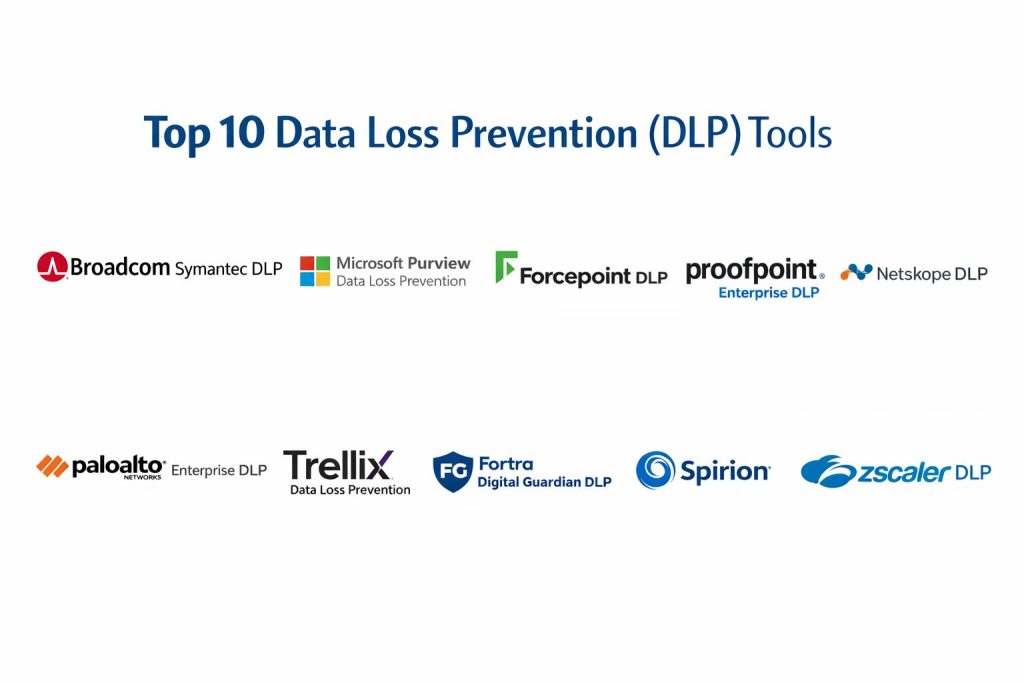
Top 10 Data Loss Prevention (DLP) Tools
1 — Broadcom Symantec DLP
A mature enterprise DLP platform designed for broad coverage across endpoints, network channels, and data discovery programs in larger organizations.
Key Features
- Sensitive data discovery and classification support
- Policy-based controls for common data exfiltration paths
- Centralized incident management and reporting
- Flexible policy tuning for different business units
- Coverage for multiple enforcement points depending on deployment
Pros
- Strong fit for large, policy-heavy enterprises
- Mature workflows for compliance and investigations
Cons
- Deployment and tuning can be complex
- Requires disciplined operations to keep policies effective
Platforms / Deployment
Varies / N/A, Hybrid
Security and Compliance
Not publicly stated
Integrations and Ecosystem
Works best when aligned with identity, endpoint, email, and governance programs.
- Integrations vary by environment and deployment choices
- Common fit in enterprise security stacks
- Policy alignment with classification improves results
Support and Community
Enterprise-oriented support; community varies by user base and partners.
2 — Microsoft Purview Data Loss Prevention
A DLP approach designed to work closely with productivity and collaboration environments, helping organizations apply consistent policies where users create and share data.
Key Features
- Policy controls for data sharing in collaboration workflows
- Label and classification-aligned protections
- Incident alerting and investigation support
- Templates and guided policy options for common data types
- Coverage that fits organizations standardizing on Microsoft ecosystems
Pros
- Strong fit when collaboration and identity are centralized
- Good alignment with data classification and governance practices
Cons
- Best results often depend on broader platform adoption
- Some integrations outside the ecosystem may require extra planning
Platforms / Deployment
Varies / N/A, Cloud / Hybrid
Security and Compliance
Not publicly stated
Integrations and Ecosystem
Most valuable when connected to identity, labeling, and access controls in the same ecosystem.
- Strong alignment with classification and labeling workflows
- Incident handling fits operational security teams
- Integrations vary for non-native apps
Support and Community
Strong documentation footprint; support depends on licensing and service tiers.
3 — Forcepoint DLP
An enterprise DLP solution focused on policy depth and behavior-aware protection, often used by organizations needing strong controls for sensitive data movement.
Key Features
- Policy-based controls for endpoints and network channels
- Data discovery and monitoring workflows
- Incident triage and case management support
- Flexible policy creation and tuning
- Options for integration with broader security workflows
Pros
- Strong policy flexibility for complex environments
- Useful for organizations with strict data handling requirements
Cons
- Can require time to tune and reduce noisy alerts
- Rollout may require careful endpoint performance testing
Platforms / Deployment
Varies / N/A, Hybrid
Security and Compliance
Not publicly stated
Integrations and Ecosystem
Commonly integrated into broader security operations processes and identity controls.
- Integrations vary by implementation
- Works best with clear data classification strategy
- Strong fit for enterprise incident workflows
Support and Community
Enterprise support model; partner ecosystem can be important.
4 — Proofpoint Enterprise DLP
A DLP solution often chosen where email and human-centric data leak pathways are major concerns, with workflows designed around user behavior and messaging risk.
Key Features
- Strong coverage for messaging and sharing workflows
- Policy controls to reduce accidental and risky sends
- Incident workflows oriented toward security teams
- Detection patterns for sensitive data and common risk types
- Integration options within broader security stacks
Pros
- Strong fit for organizations where email is a key leak channel
- Practical controls for accidental data exposure scenarios
Cons
- Best value depends on how central email security is to your strategy
- Broader endpoint and cloud coverage may require additional components
Platforms / Deployment
Varies / N/A, Cloud / Hybrid
Security and Compliance
Not publicly stated
Integrations and Ecosystem
Often fits well alongside email security, identity signals, and security operations workflows.
- Integrations vary by environment
- Helpful for user-risk and messaging-focused controls
- Can complement endpoint and cloud DLP strategies
Support and Community
Strong enterprise support posture; community knowledge varies.
5 — Netskope DLP
A cloud-first DLP capability commonly used to protect data in SaaS apps, cloud storage, and web traffic, with controls aligned to modern cloud usage patterns.
Key Features
- DLP controls for cloud apps and cloud storage workflows
- Visibility into data movement to unsanctioned apps
- Policy enforcement for web uploads and cloud sharing
- Support for structured and unstructured data patterns
- Centralized policy and incident handling designed for cloud scale
Pros
- Strong for cloud app governance and protection
- Helps reduce shadow IT-driven data exposure
Cons
- Requires clear policy design to avoid blocking productivity
- Endpoint and email needs may require additional alignment
Platforms / Deployment
Varies / N/A, Cloud
Security and Compliance
Not publicly stated
Integrations and Ecosystem
Fits well with cloud security programs and identity-driven access controls.
- Integrations vary by tenant and app coverage
- Strong alignment with cloud access and policy enforcement
- Incident workflow benefits from clear ownership models
Support and Community
Vendor support and documentation; community varies by cloud security audience.
6 — Palo Alto Networks Enterprise DLP
An enterprise DLP capability often selected by organizations building consistent controls across network security and cloud-delivered security services.
Key Features
- Central policy framework for sensitive data controls
- Coverage designed for network and cloud enforcement points
- Incident workflow support for security teams
- Controls for common exfiltration channels based on deployment
- Integration potential within a broader security platform approach
Pros
- Useful when consolidating security tools into fewer platforms
- Strong for consistent policy enforcement across traffic paths
Cons
- Best results depend on platform adoption and architecture choices
- Some use cases may require careful rollout planning
Platforms / Deployment
Varies / N/A, Cloud / Hybrid
Security and Compliance
Not publicly stated
Integrations and Ecosystem
Often adopted as part of a broader security platform strategy.
- Integrations vary across deployed modules
- Works well with identity and network security workflows
- Benefits from clear policy ownership and tuning processes
Support and Community
Enterprise support and user community; depth varies by customer base.
7 — Trellix Data Loss Prevention
An enterprise DLP option that can fit organizations already using related endpoint security components, aiming to extend protection to sensitive data movement and policy enforcement.
Key Features
- Endpoint-focused controls to reduce risky data actions
- Policy enforcement for sensitive content handling
- Incident alerts and reporting workflows
- Options for integration with broader endpoint security operations
- Practical controls for removable media and local exfil paths
Pros
- Useful for endpoint-centric data protection strategies
- Can align well with broader endpoint security operations
Cons
- Coverage breadth depends on overall architecture
- Policy tuning may be needed to reduce false positives
Platforms / Deployment
Varies / N/A, Hybrid
Security and Compliance
Not publicly stated
Integrations and Ecosystem
Often fits teams looking to align endpoint security and DLP workflows.
- Integrations vary by endpoint stack and deployment
- Stronger outcomes with consistent endpoint governance
- Works best with clear incident ownership and response steps
Support and Community
Support tiers vary; community depends on deployment footprint.
8 — Fortra Digital Guardian DLP
A DLP platform commonly positioned for deep endpoint visibility and controls, often used by organizations focused on protecting IP and sensitive data on user devices.
Key Features
- Endpoint monitoring and policy enforcement for sensitive actions
- Controls for data movement across common channels
- Discovery support for sensitive content on endpoints
- Incident workflows for investigation and response
- Policy tuning capabilities for different user groups
Pros
- Strong for protecting intellectual property and sensitive data on endpoints
- Helpful visibility for investigations and policy refinement
Cons
- Rollout can require careful tuning to avoid user disruption
- Needs strong operational discipline for best results
Platforms / Deployment
Varies / N/A, Hybrid
Security and Compliance
Not publicly stated
Integrations and Ecosystem
Works best when tied into identity, endpoint governance, and security operations workflows.
- Integrations vary by environment
- Useful for endpoint-led data protection programs
- Complements cloud controls in mixed environments
Support and Community
Enterprise support orientation; partner ecosystem can matter for deployment.
9 — Spirion
A tool commonly used for discovering sensitive data across endpoints and repositories, helping organizations find where sensitive data lives so they can reduce exposure and enforce policy.
Key Features
- Sensitive data discovery across common storage locations
- Support for identifying regulated data patterns
- Reporting that helps prioritize remediation
- Scanning workflows designed to find data at rest
- Helps security teams reduce unknown exposure
Pros
- Strong for discovery-led programs and cleanup initiatives
- Helps reduce “unknown sensitive data” risk quickly
Cons
- Enforcement controls may need pairing with a broader DLP platform
- Value depends on how mature your remediation process is
Platforms / Deployment
Varies / N/A, Hybrid
Security and Compliance
Not publicly stated
Integrations and Ecosystem
Often used alongside governance, remediation, and broader security tooling.
- Integrations vary by storage and endpoint environment
- Strong complement to classification and cleanup workflows
- Most useful with defined remediation ownership
Support and Community
Support model varies; community is more specialized.
10 — Zscaler DLP
A cloud-delivered DLP capability often adopted by organizations protecting data as it moves to cloud apps and across web traffic, with controls designed for modern distributed work.
Key Features
- Cloud-based policy enforcement for web and cloud traffic paths
- Controls for uploads and sharing to cloud apps based on policy
- Visibility into risky data movement behaviors
- Incident alerting and investigation workflows
- Designed to scale for remote and distributed environments
Pros
- Strong for distributed workforces and cloud usage patterns
- Centralized enforcement without relying only on network perimeter
Cons
- Best results depend on clear policy tuning and rollout strategy
- Endpoint-specific controls may require complementary tooling
Platforms / Deployment
Varies / N/A, Cloud
Security and Compliance
Not publicly stated
Integrations and Ecosystem
Often fits in cloud security architectures where web access and cloud app controls are central.
- Integrations vary by tenant and app coverage
- Works best with identity-driven access strategies
- Complements endpoint discovery and classification programs
Support and Community
Enterprise support posture; community varies by cloud security adoption.
Comparison Table
| Tool Name | Best For | Platform(s) Supported | Deployment | Standout Feature | Public Rating |
|---|---|---|---|---|---|
| Broadcom Symantec DLP | Large enterprises with complex policies | Varies / N/A | Hybrid | Mature enterprise DLP workflows | N/A |
| Microsoft Purview Data Loss Prevention | Collaboration-centric protection programs | Varies / N/A | Cloud / Hybrid | Strong alignment with classification workflows | N/A |
| Forcepoint DLP | Policy-heavy environments needing flexibility | Varies / N/A | Hybrid | Deep policy control and tuning | N/A |
| Proofpoint Enterprise DLP | Reducing email-driven data leakage risk | Varies / N/A | Cloud / Hybrid | Human-centric messaging protection | N/A |
| Netskope DLP | SaaS and cloud app data protection | Varies / N/A | Cloud | Cloud app visibility and controls | N/A |
| Palo Alto Networks Enterprise DLP | Platform-led security consolidation | Varies / N/A | Cloud / Hybrid | Consistent policy across enforcement points | N/A |
| Trellix Data Loss Prevention | Endpoint-centric DLP enforcement | Varies / N/A | Hybrid | Endpoint controls for risky actions | N/A |
| Fortra Digital Guardian DLP | IP protection and endpoint monitoring | Varies / N/A | Hybrid | Deep endpoint visibility and control | N/A |
| Spirion | Finding sensitive data at rest | Varies / N/A | Hybrid | High-focus discovery for regulated data | N/A |
| Zscaler DLP | Distributed workforce cloud traffic protection | Varies / N/A | Cloud | Cloud-delivered enforcement for web paths | N/A |
Evaluation and Scoring of Data Loss Prevention (DLP)
Weights
Core features 25 percent
Ease of use 15 percent
Integrations and ecosystem 15 percent
Security and compliance 10 percent
Performance and reliability 10 percent
Support and community 10 percent
Price and value 15 percent
| Tool Name | Core | Ease | Integrations | Security | Performance | Support | Value | Weighted Total |
|---|---|---|---|---|---|---|---|---|
| Broadcom Symantec DLP | 9.0 | 6.5 | 8.0 | 7.0 | 8.0 | 7.5 | 6.5 | 7.63 |
| Microsoft Purview Data Loss Prevention | 8.5 | 8.0 | 8.5 | 7.0 | 8.0 | 8.0 | 8.0 | 8.18 |
| Forcepoint DLP | 8.5 | 6.5 | 7.5 | 7.0 | 7.5 | 7.0 | 6.5 | 7.38 |
| Proofpoint Enterprise DLP | 8.0 | 7.5 | 7.5 | 7.0 | 7.5 | 7.5 | 7.0 | 7.55 |
| Netskope DLP | 8.0 | 7.5 | 8.5 | 7.0 | 8.0 | 7.5 | 7.5 | 7.83 |
| Palo Alto Networks Enterprise DLP | 8.0 | 7.0 | 8.5 | 7.5 | 8.0 | 7.5 | 7.0 | 7.70 |
| Trellix Data Loss Prevention | 7.5 | 7.0 | 7.5 | 7.0 | 7.5 | 7.0 | 7.0 | 7.23 |
| Fortra Digital Guardian DLP | 8.0 | 6.5 | 7.5 | 7.0 | 7.5 | 7.0 | 6.5 | 7.28 |
| Spirion | 7.5 | 7.5 | 6.5 | 6.5 | 7.5 | 7.0 | 7.5 | 7.23 |
| Zscaler DLP | 7.5 | 7.5 | 8.0 | 7.0 | 8.0 | 7.5 | 7.5 | 7.60 |
How to interpret the scores
These scores are comparative and meant to help shortlisting. A slightly lower total can still be the best choice if it matches your main leak channels and operating model. Core reflects breadth and depth of DLP controls, while integrations reflects how well the tool fits into identity, endpoints, email, and cloud workflows. Ease reflects rollout, policy tuning, and day-to-day operations. Value depends on how much of the platform you will truly use and how quickly it reduces risk without slowing teams down.
Which Data Loss Prevention (DLP) Tool Is Right for You
Solo or Freelancer
Most solo users do not need full enterprise DLP. If you still handle sensitive client data, focus on basic hygiene: encrypted storage, strong access control, and careful sharing practices. For discovery of exposed sensitive data, a focused scanning approach can be helpful, but full DLP platforms are usually too heavy.
SMB
SMBs typically benefit from faster deployment and clear policies that protect email and cloud sharing without blocking normal work. Microsoft Purview Data Loss Prevention can fit well when collaboration and identity are centralized. If cloud apps and shadow IT are a concern, Netskope DLP or Zscaler DLP can be practical depending on your cloud security approach.
Mid-Market
Mid-market teams often need unified coverage across endpoints and cloud apps, plus an incident workflow that security teams can manage without too much noise. Netskope DLP and Zscaler DLP can help with cloud-first controls, while Forcepoint DLP and Fortra Digital Guardian DLP are often considered when endpoint control and policy flexibility matter.
Enterprise
Enterprises usually need policy depth, multiple enforcement points, and a mature incident response workflow. Broadcom Symantec DLP is commonly selected for large policy programs. If you want strong alignment with collaboration and classification, Microsoft Purview Data Loss Prevention can be a strong fit. Palo Alto Networks Enterprise DLP may be attractive when platform consolidation and consistent enforcement across traffic paths is a priority.
Budget vs Premium
Budget decisions should consider operational cost, not just licensing. Tools that reduce false alerts and support fast tuning often cost less over time. Premium platforms may offer stronger coverage and reporting, but only deliver value if the organization has the people and processes to run DLP well.
Feature Depth vs Ease of Use
Deep policy tools can protect more scenarios, but they can also create complexity. If you need broad control and customization, enterprise platforms tend to win. If you need rapid deployment and simpler operations, cloud-first approaches can be easier to start with, especially for SaaS-heavy environments.
Integrations and Scalability
Pick the tool that fits your main control points: endpoint actions, email sharing, or cloud app usage. The best DLP program usually connects to identity signals, classification labels, endpoint governance, and incident response workflows. Scalability depends on policy ownership, tuning cycles, and clear exception processes.
Security and Compliance Needs
If compliance is strict, prioritize strong discovery, reliable policy enforcement, and clear evidence for audits. Also ensure incident workflows are documented, alerts are actionable, and exceptions are reviewed. When compliance claims are not clearly known, treat them as not publicly stated and validate through procurement and vendor assurance steps.
Frequently Asked Questions
1. What is the difference between DLP and data classification
Classification labels data so people and systems understand sensitivity. DLP enforces rules that protect that data in motion, at rest, and in use. The strongest programs connect both so policies are consistent.
2. Does DLP block work and reduce productivity
It can if policies are too strict or poorly tuned. A good rollout starts with monitoring, then targeted blocking, and clear exception handling. The goal is to prevent real risk without creating daily friction.
3. What are the most common data leak channels
Email mis-sends, cloud uploads to personal accounts, public link sharing, copy to removable media, and accidental exposure in collaboration tools are common. The “top channel” differs by business and user behavior.
4. How long does it take to deploy DLP successfully
Time depends on scope, data types, and enforcement points. Most teams succeed faster when they start with a narrow set of high-risk policies, tune alerts, then expand coverage in phases.
5. How do I reduce false positives in DLP alerts
Use precise detection rules, include business context, and tune based on real incidents. Start with reporting mode, then enforce. Also define what “acceptable use” looks like so exceptions are not handled randomly.
6. Should I prioritize endpoint DLP or cloud DLP first
Start where your biggest risk is. If most work happens in SaaS apps and web tools, cloud DLP may deliver faster results. If sensitive data lives on laptops and moves via local actions, endpoint DLP may be the priority.
7. Can DLP protect data inside encrypted files
It depends on the tool and how encryption is implemented. Many DLP programs rely on classification, policy context, and allowed workflows rather than always inspecting every encrypted payload.
8. Do I need DLP if I already have access controls and encryption
Access controls and encryption reduce risk, but they do not always prevent accidental sharing or insider misuse. DLP adds content-aware enforcement and incident workflows, which is often required for compliance and audit evidence.
9. What is the best way to roll out DLP without breaking business processes
Start with discovery, then monitor-only policies for the top leak channels. Educate users with clear prompts, create exception workflows, and measure outcomes. Expand enforcement only after alert quality improves.
10. How do I choose between enterprise DLP platforms and cloud-first DLP tools
Enterprise DLP platforms can offer deep policy control across many channels, but may require more operational effort. Cloud-first tools can be faster for SaaS-heavy environments. Choose based on where data moves, what you must prove for compliance, and how much operational capacity your team has.
Conclusion
A strong DLP program is not just a product choice, it is a practical system of discovery, policies, enforcement, and repeatable incident handling. The right tool depends on where your sensitive data lives and how it moves: endpoints, email, collaboration platforms, cloud apps, or all of them at once. Enterprise platforms like Broadcom Symantec DLP and Forcepoint DLP can be a fit when policy depth and multi-channel coverage are essential. Cloud-first tools like Netskope DLP and Zscaler DLP can be effective when web and SaaS are the main risk paths. Microsoft Purview Data Loss Prevention often fits well when collaboration and classification are centralized. The best next step is to shortlist two or three tools, run a controlled pilot on real data flows, validate integrations, tune policies, and confirm that alert quality and user impact are acceptable.